USER'SMANUALOFEMBEDDEDDIGITALVIDEORECORDER
Page 29 of 27
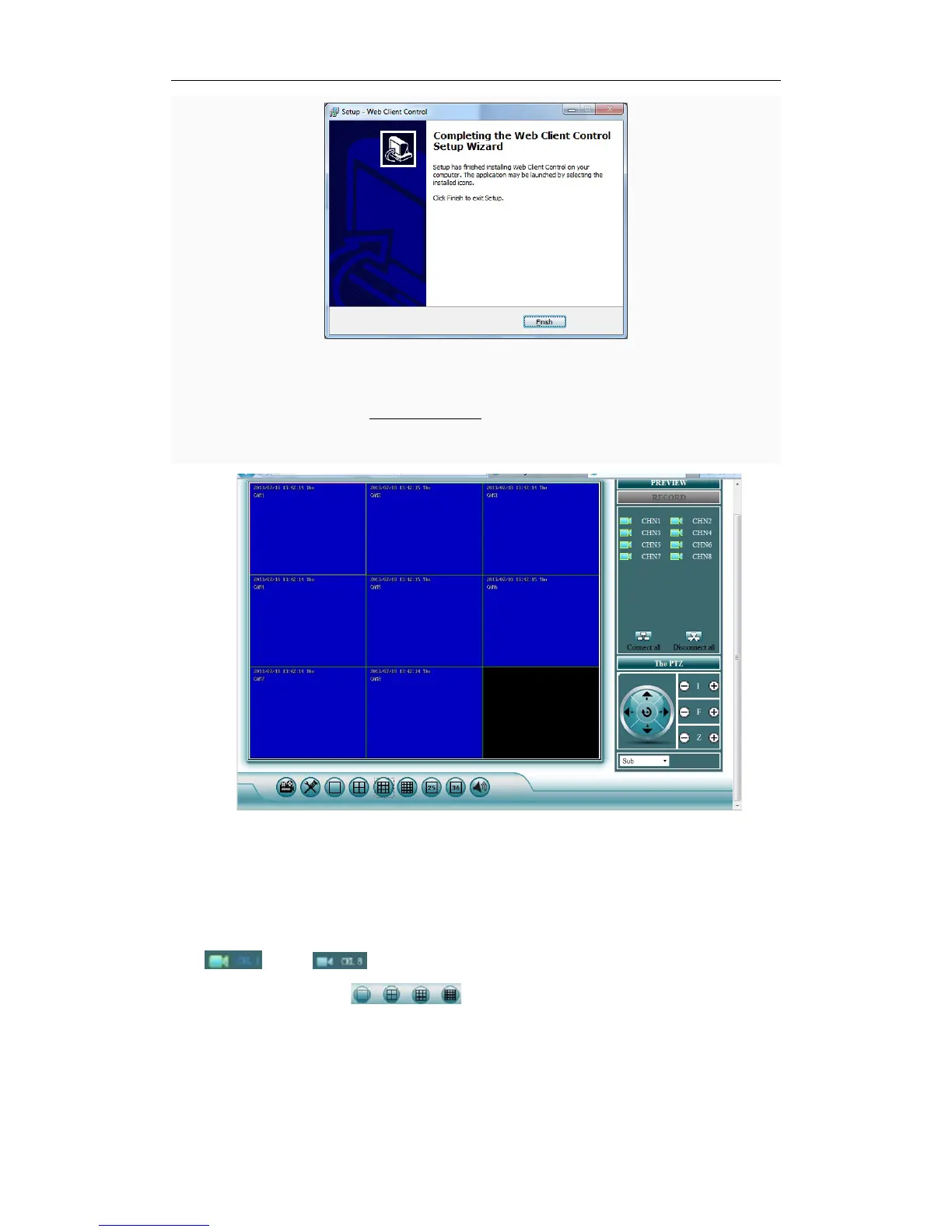
4.5.5Click“Finish”tocompletetheinstallation.
4.5.6OpenIEonacomput er,Inputwww.ismartp2p.com.InputEseeID(see3.8.3.4Networksetup)intoDeviceID,
usernameandpasswordasDVR.
Monitoring homepage including: preview window, PTZ control, preview mode, code stream
selection,channelopening,setting,playback,userlogout.
Turn on preview:click the target channel with left button of mouse, red color means select
already. Double click the channel can open or close the correspond preview channel, such as:
open
,close
Preview mode:can click
to choose the mode, or double click preview
windowtoswitchoverintomulti‐channelmode.



 To Previous Page