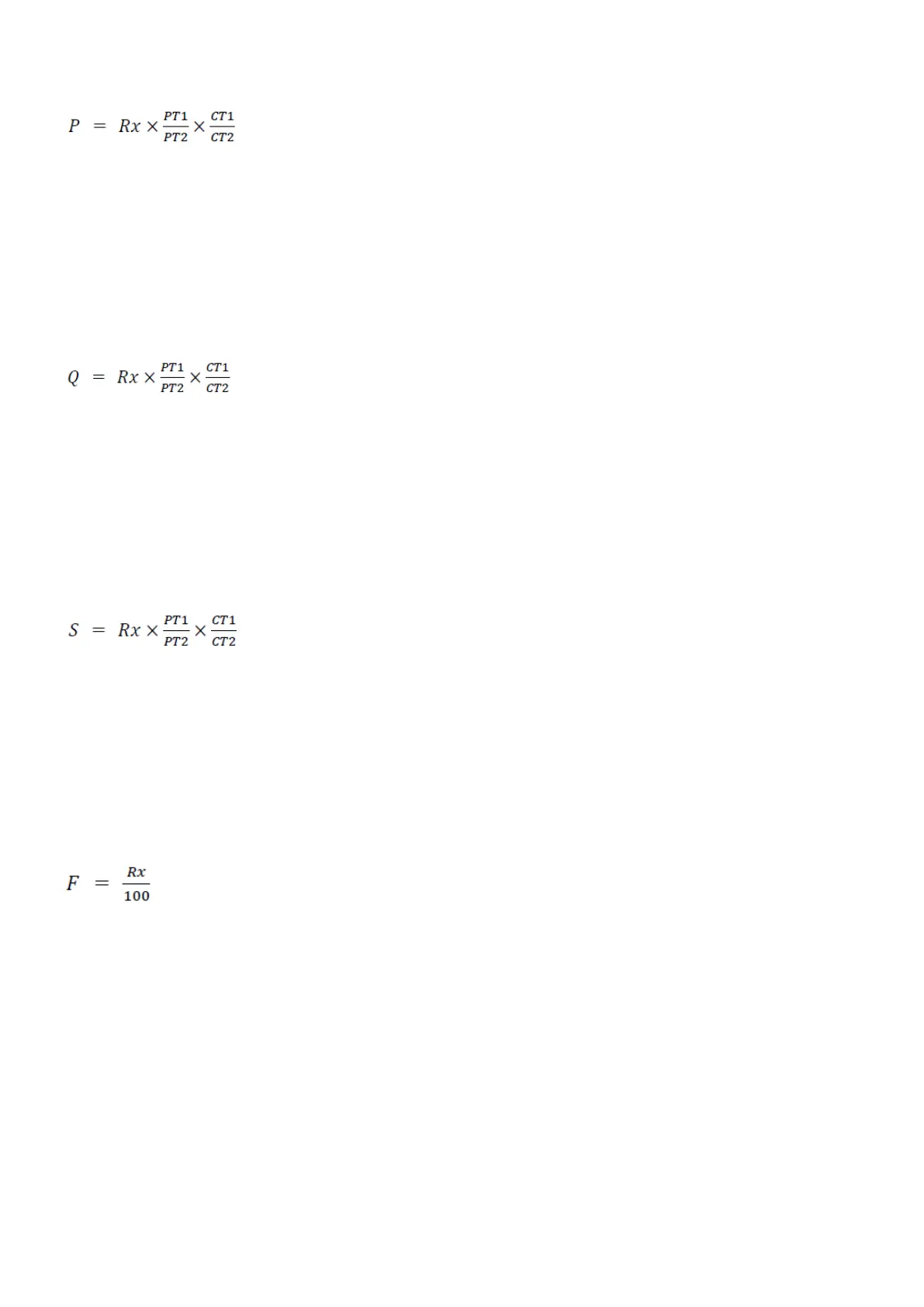
If you use Modbus to collect the power data, you need to use this equation to calculate the power values:
where Rx = register value, CT1 and CT2 = current transformer data, and PT1 and PT2 = voltage transformer data.
6.2.4 Reactive power (Q)
The MIB calculates the three-phase reactive power and the total reactive power of the system. You can see all the reactive power
values on the display. You can also view the values remotely using RS485 communication and MIBLink, the MIB utility software.
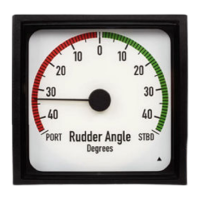
If you use Modbus to collect the reactive power data, you need to use this equation to calculate the reactive power values:
where Rx = register value, CT1 and CT2 = current transformer data, and PT1 and PT2 = voltage transformer data.
6.2.5 Apparent power (S)
The MIB calculates the three-phase apparent power and the total apparent power of the system. You can see all the values on the
display. You can also view the values remotely using RS485 communication and MIBLink, the MIB utility software.
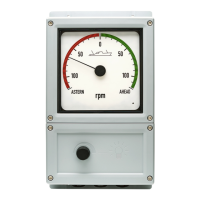
If you use Modbus to collect the apparent power data, you need to use this equation to calculate the values:
where Rx = register value, CT1 and CT2 = current transformer data, and PT1 and PT2 = voltage transformer data.
6.2.6 Frequency (F)
The frequency of phase 1, which is the voltage input, is measured as system frequency. You can see all the frequency values on the
display. You can also view the values remotely using RS485 communication and MIBLink, the MIB utility software.
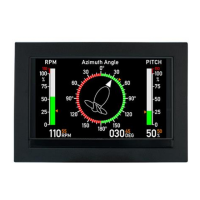
If you use Modbus to collect the frequency data, you need to use this equation to calculate the values:
where Rx = register value.
6.2.7 Energy (Ep)
The energy is the time integral of power, and the unit is kWh. Import of energy is equal to the consumption of energy, and is
therefore positive. Export of energy is equal to the generation of energy, and is therefore negative.
You can see the energy counters on the display. You can also view the values remotely using RS485 communication and MIBLink,
the MIB utility software.
If you use Modbus to collect the energy data, you need to use this equation to calculate the values:
DESIGNER'S HANDBOOK 4189320063D EN Page 18 of 23


 To Next Page