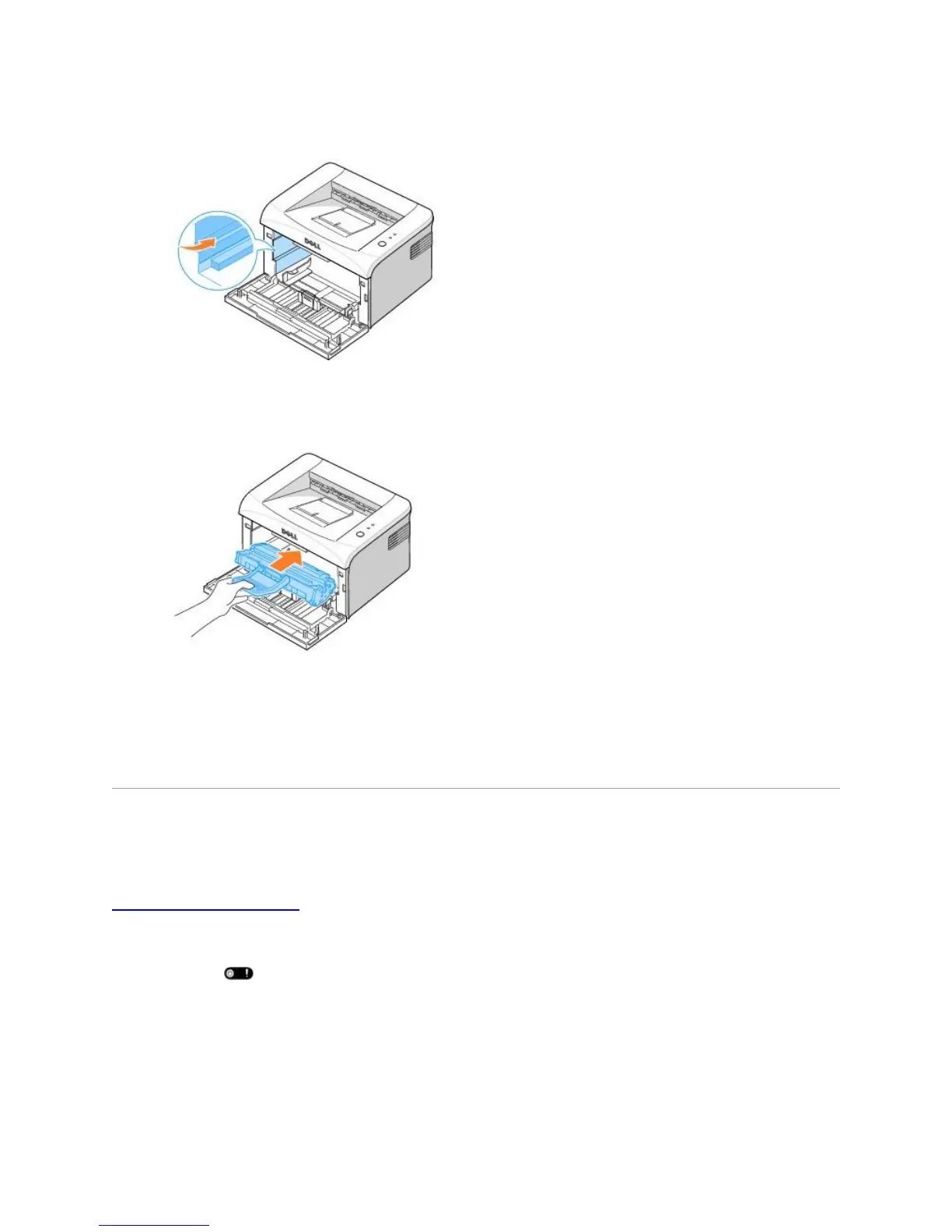
5. Locate the cartridge slot inside the printer, one on each side.
6. Unfold the toner cartridge handle and grasp it. Insert the cartridge into the printer until it
snaps into place.
7. Close the front cover. Make sure that the cover is securely closed. If it is not firmly closed,
printing errors may occur.
Ordering Supplies
You can order supplies using the Dell™ Toner Management System or by contacting Dell at
www.dell.com/supplies.
In addition to the toner level indicator that is displayed in the Printing Status window each time you
send a job to print, the printer's operator panel LED sequences tell you about the status of your
supplies. When lights orange, your toner cartridge is low and you should order a new toner
cartridge.
1. Double-click the Dell Toner Reorder Program icon on your desktop.













 To Next Page