240 Understanding Your Printer Software
Macintosh
®
Status Monitor Widget
Status Monitor Widget is a printer utility that promotes efficient use of the
printer through the exchange of information between the Macintosh and the
printer.
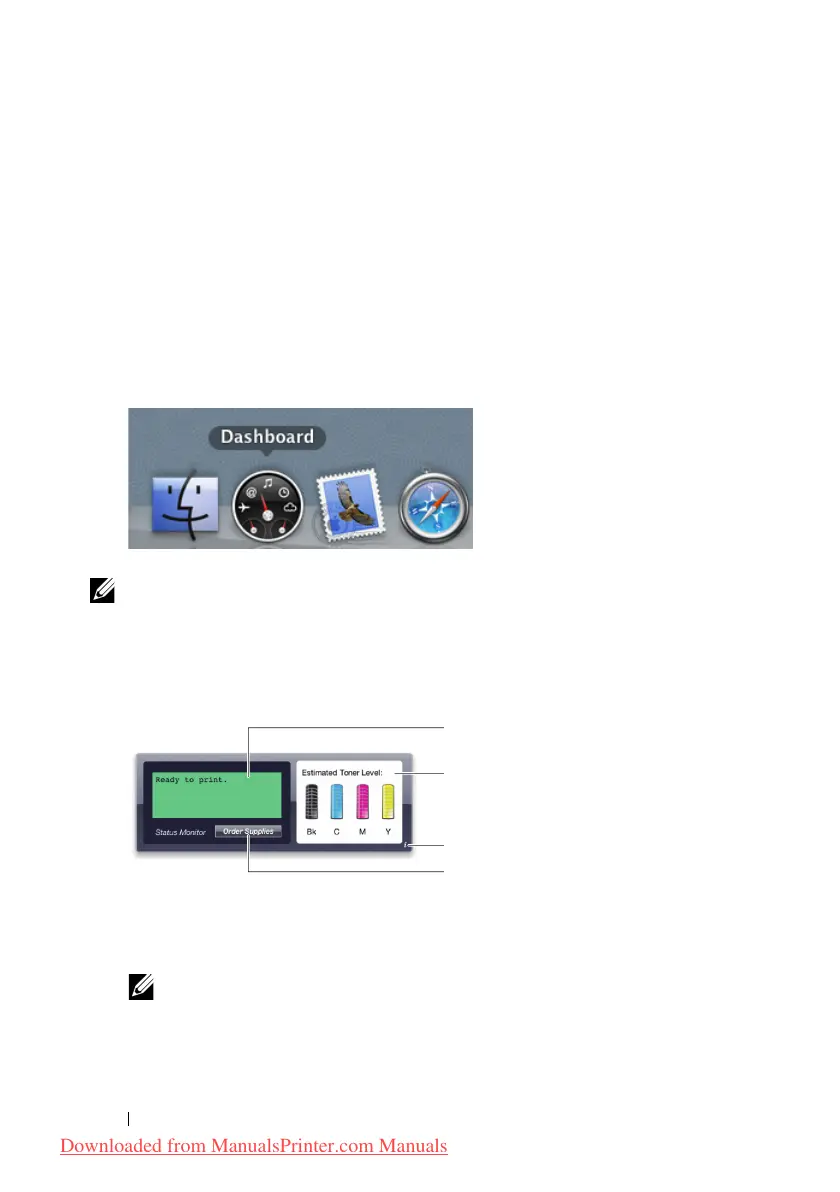
To open the Status Monitor Widget:
Click the Dashboard icon in the dock to launch Dashboard.
NOTE: If the Select a printer. message is displayed, select your
printer in Preferences. For more information on Preference, see "Preferences" on
page 242.
Status Monitor window appears.
1
Printer Status Message Area
Displays a message of the current printer status.
NOTE: The Status Monitor Widget automatically obtains the printer
information at the updated interval that can be specified in Preferences. Also,
the printer status is refreshed when Dashboard is launched or Preferences is
closed.
Downloaded from ManualsPrinter.com Manuals












 To Next Page