Connecting Your Printer 35
3
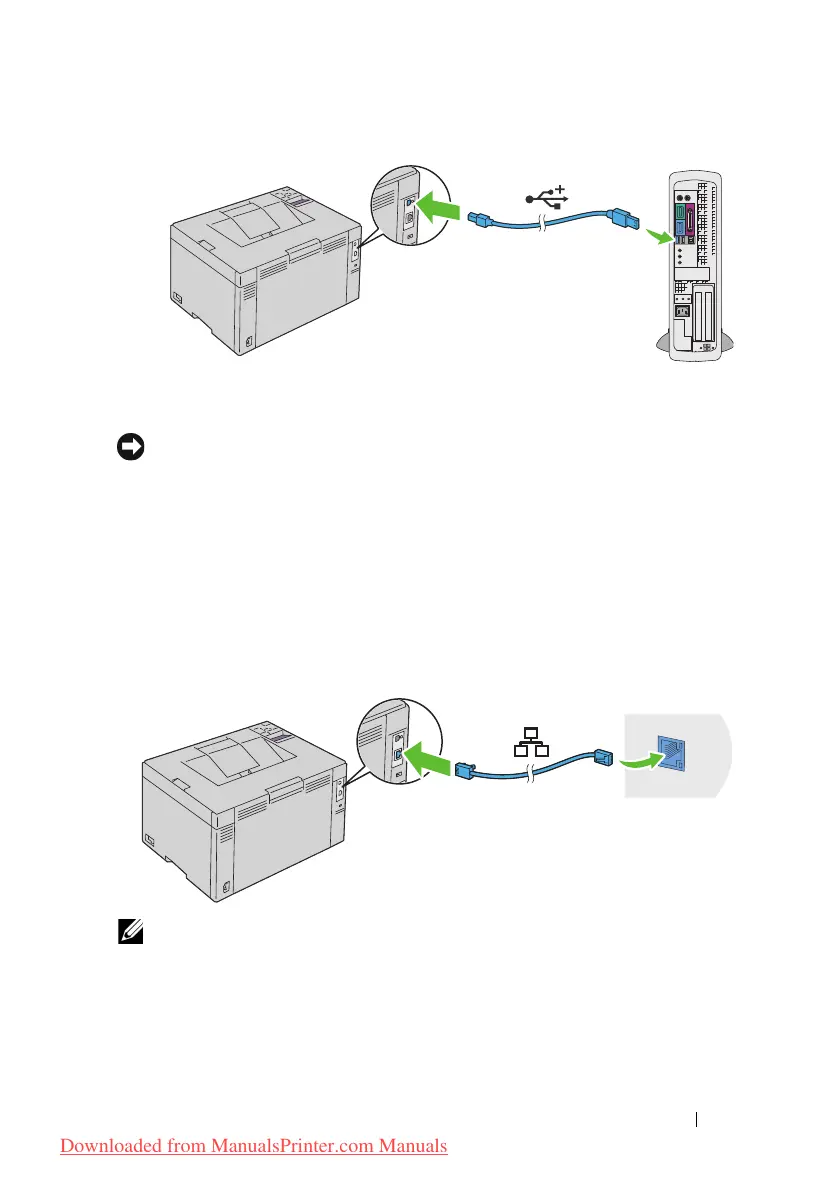
Connect the other end of the cable into a USB port of the computer.
NOTICE: Do not connect the printer USB cable to the USB port available on the
keyboard.
Network Connection
To connect the printer to a network:
1
Ensure that the printer, computer and any other connected devices have
been turned off and all cables have been disconnected.
2
Connect the Ethernet cable.
NOTE: Connect the Ethernet cable, only if you need to setup a wired connection.
To connect the printer to the network, connect one end of an Ethernet cable
into the Ethernet port on the back of the printer, and the other end to a LAN
port or LAN hub.
Downloaded from ManualsPrinter.com Manuals












 To Next Page