278 Clearing Jams
Identifying the Location of Paper Jams
CAUTION: Do not attempt to clear any jams using tools or instruments. This may
permanently damage the printer.
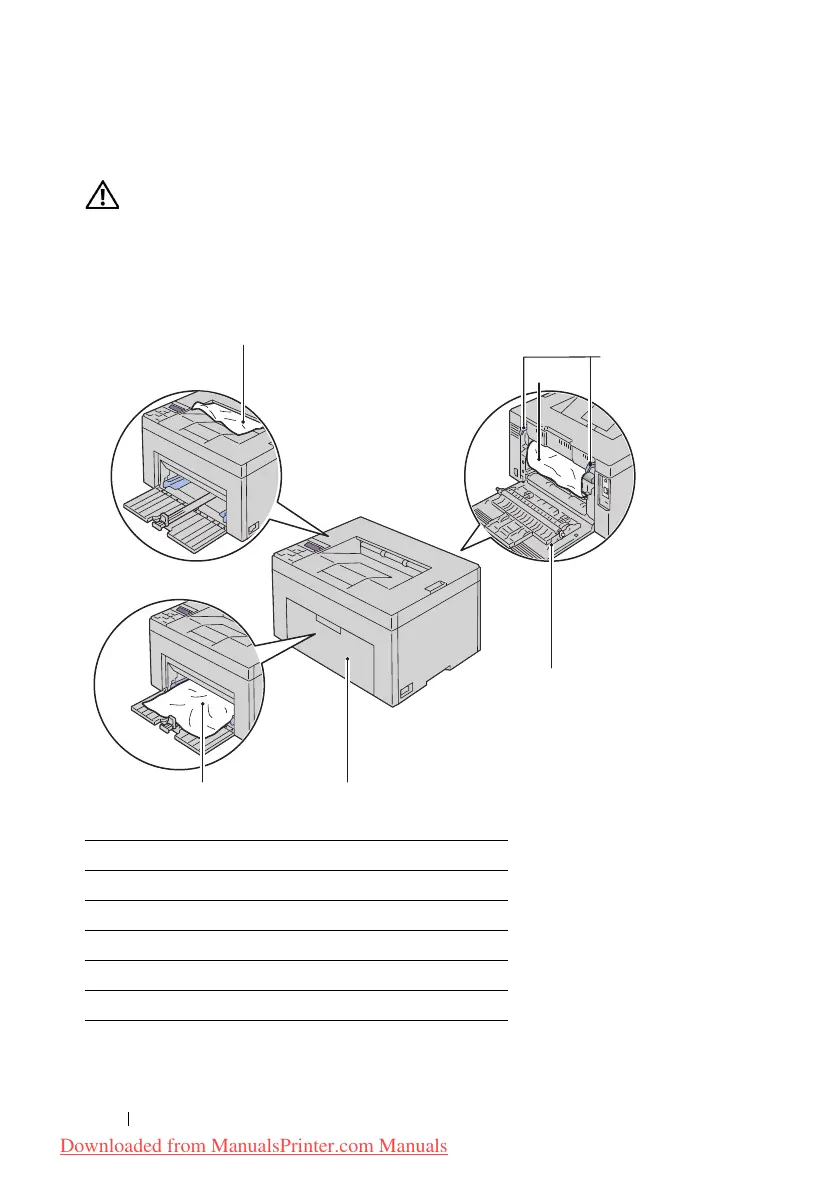
The following illustration shows where paper jams may occur along the print
media path.
1 Output Tray
2 Transfer B elt
3 Fuser Release Lever
4 Rear Cover
5 Front Cover
6 Multipurpose Feeder (MPF)
1
2
3
6 5
4
Downloaded from ManualsPrinter.com Manuals












 To Next Page