Loading Paper 45
7
Loading Paper
NOTE: To avoid paper jams, do not remove the priority sheet inserter while a
printing is in progress.
NOTE: Use only laser print media. Do not use ink jet paper in your printer.
NOTE: For printing envelopes, see "Loading Print Media" on page 165.
Loading Print Media in the Multipurpose Feeder
(MPF)
1
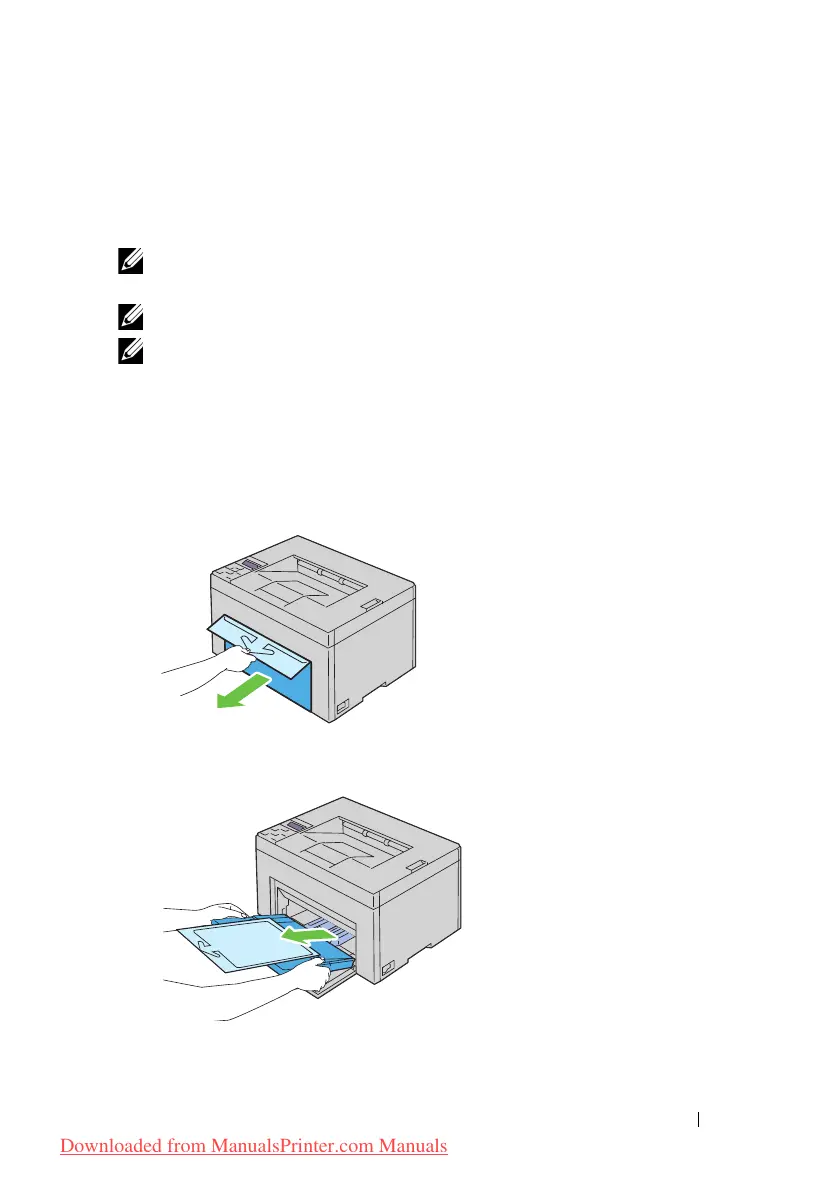
Open the front cover by pulling out the instruction sheet.
2
Pull the priority sheet inserter (PSI) out.
3
Remove the instruction sheet attached to the PSI with adhesive tape.
Downloaded from ManualsPrinter.com Manuals












 To Next Page