50 Loading Paper
Loading Print Media in the Priority Sheet Inserter
(PSI)
1
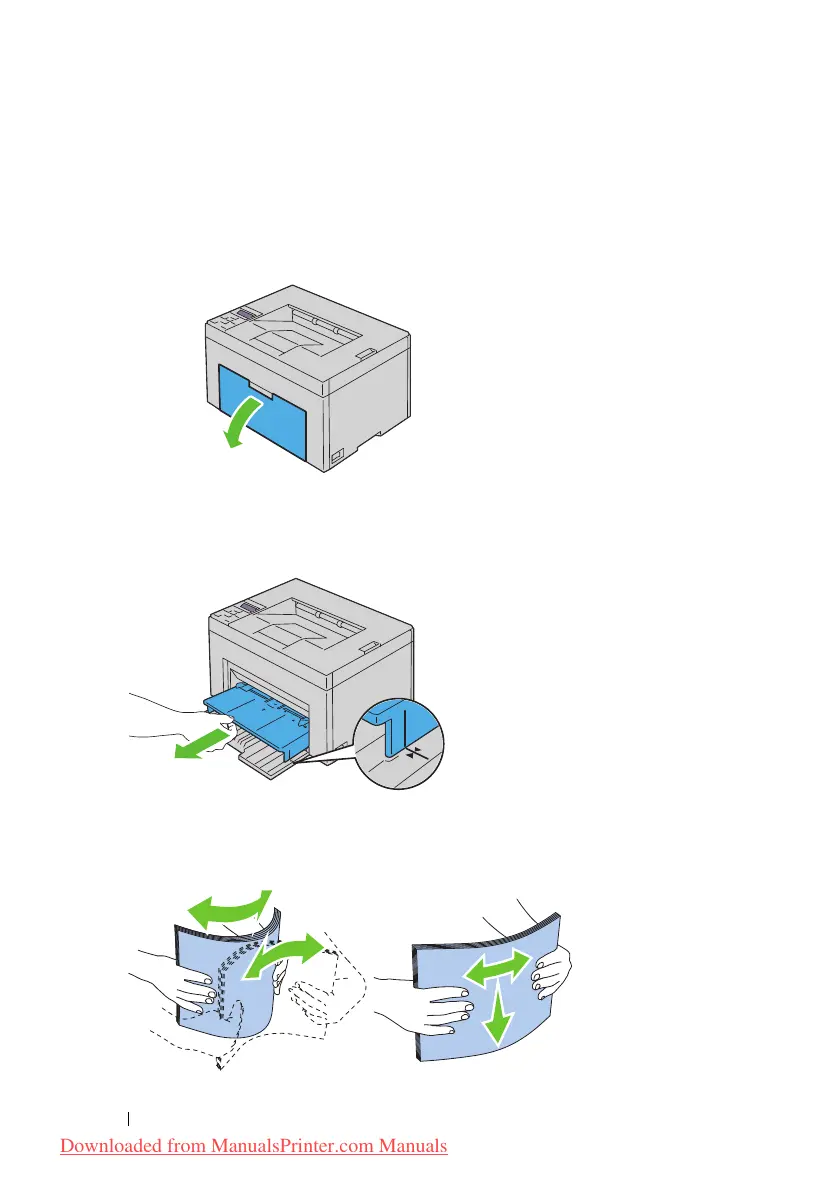
Open the front cover.
2
Slide the PSI forward, and then align the PSI to the marking on the paper
tray.
3
Before loading the print media, flex the sheets back and forth, and then
fan them. Straighten the edges of the stack on a level surface.
Downloaded from ManualsPrinter.com Manuals




 To Next Page