Loading Paper 51
4
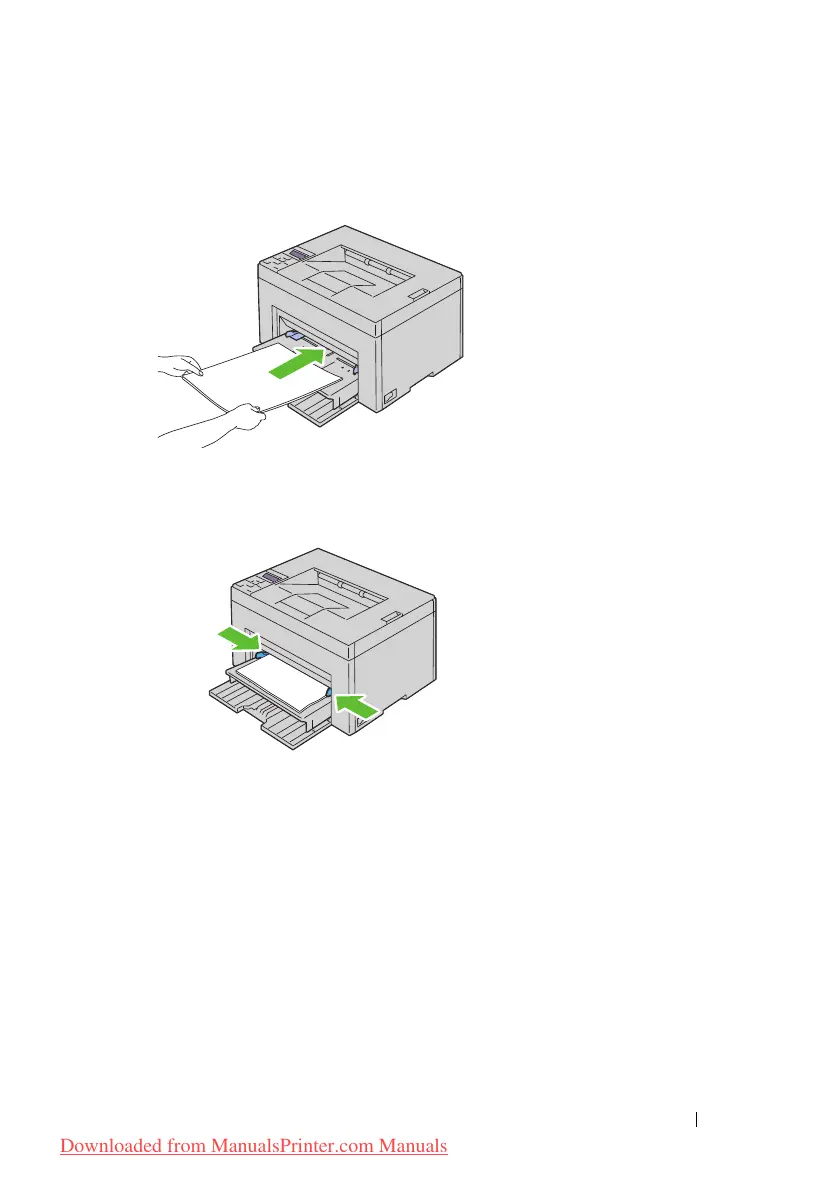
Load print media on the PSI with the top edge first and with the
recommended print side facing up.
5
Adjust the width guides until they rest lightly against the edges of the
stack of print media.
6
Select the paper type from the printer driver if the loaded print media is
not standard plain paper. If a user-specified print media is loaded in the
PSI, you must specify the paper size setting by using the printer driver.
Downloaded from ManualsPrinter.com Manuals




 To Next Page