Clearing Jams 279
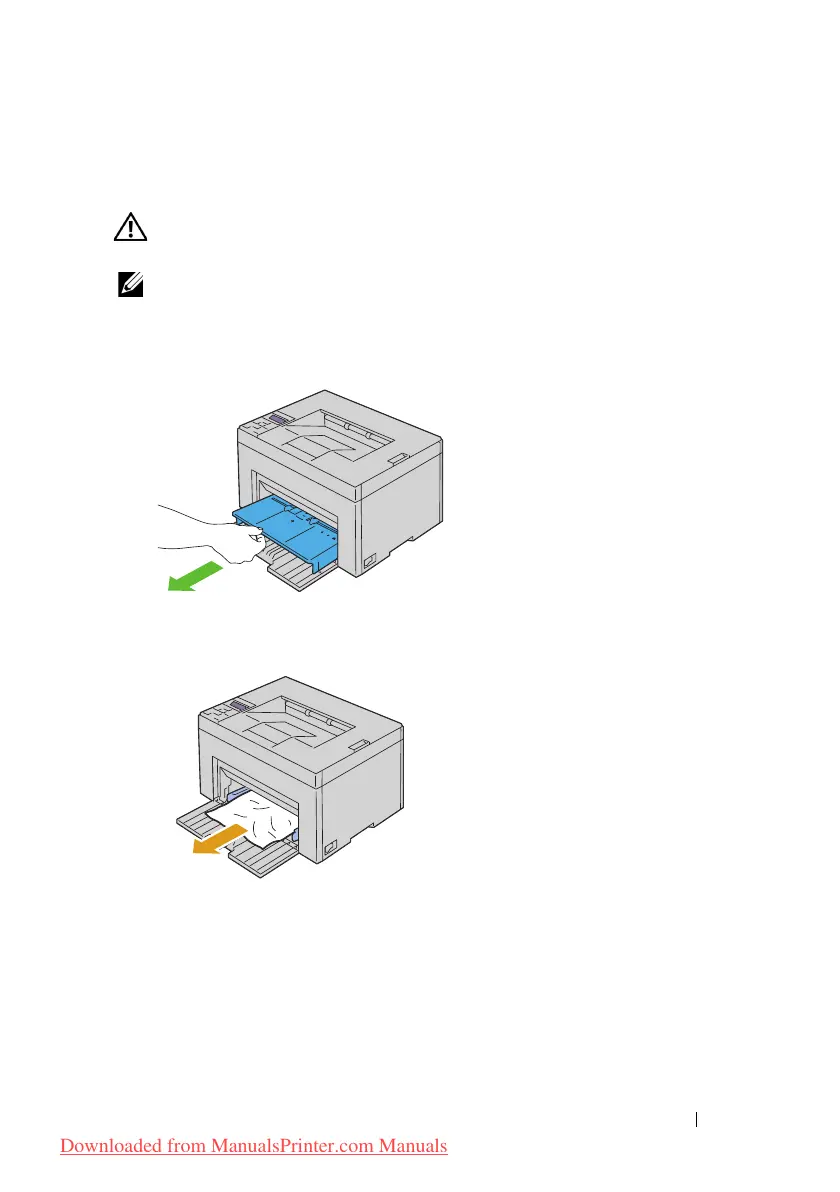
Clearing Paper Jams From the Front of the Printer
CAUTION: Before performing any of the following procedures, read and follow
the safety instructions in your Product Information Guide.
NOTE: To resolve the error displayed on the operator panel, you must clear all print
media from the print media path.
1
Pull the PSI out.
2
Remove any paper jammed from the front of the printer.
3
Replace the PSI in the printer.
Downloaded from ManualsPrinter.com Manuals




 To Next Page