Loading Paper 49
11
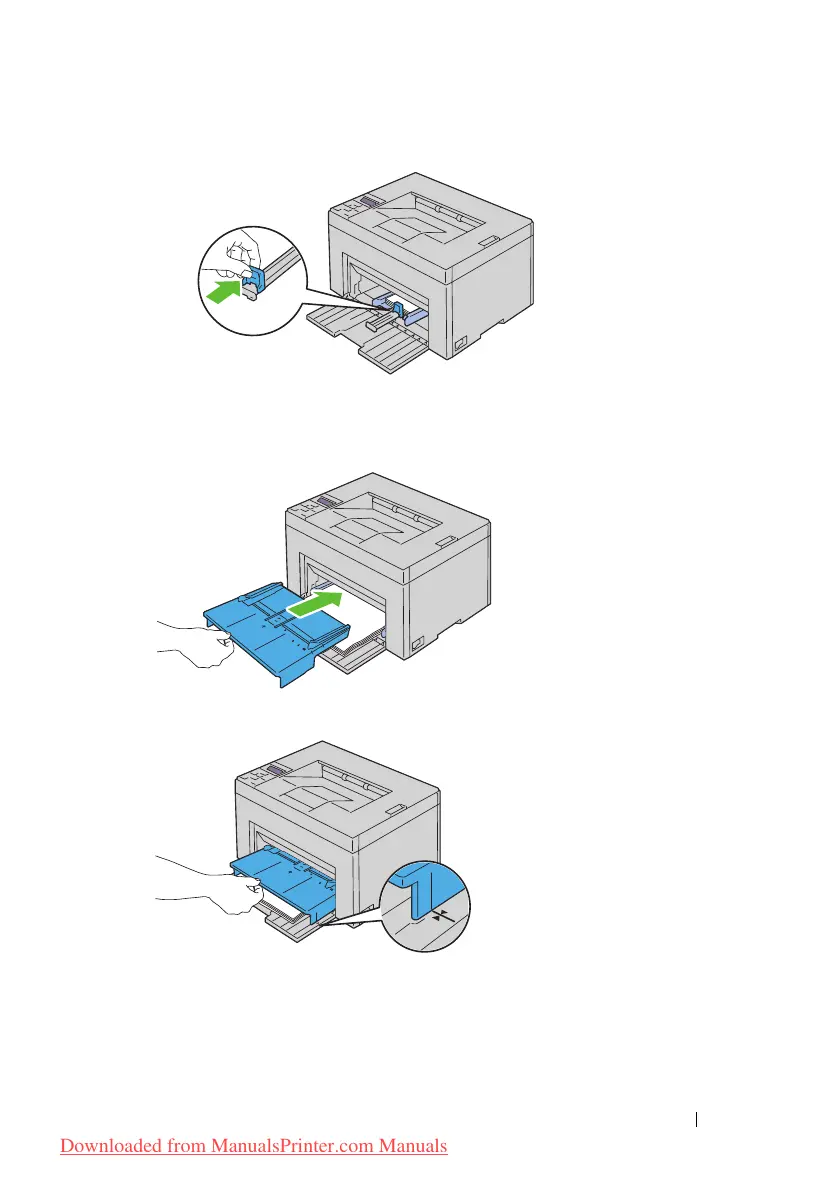
Insert the PSI into the printer and then align the PSI to the marking on
the paper tray.
12
Select the paper type from the printer driver if the loaded print media is
not standard plain paper. If a user-specified print media is loaded in the
MPF, you must specify the paper size setting by using the printer driver.
Downloaded from ManualsPrinter.com Manuals




 To Next Page