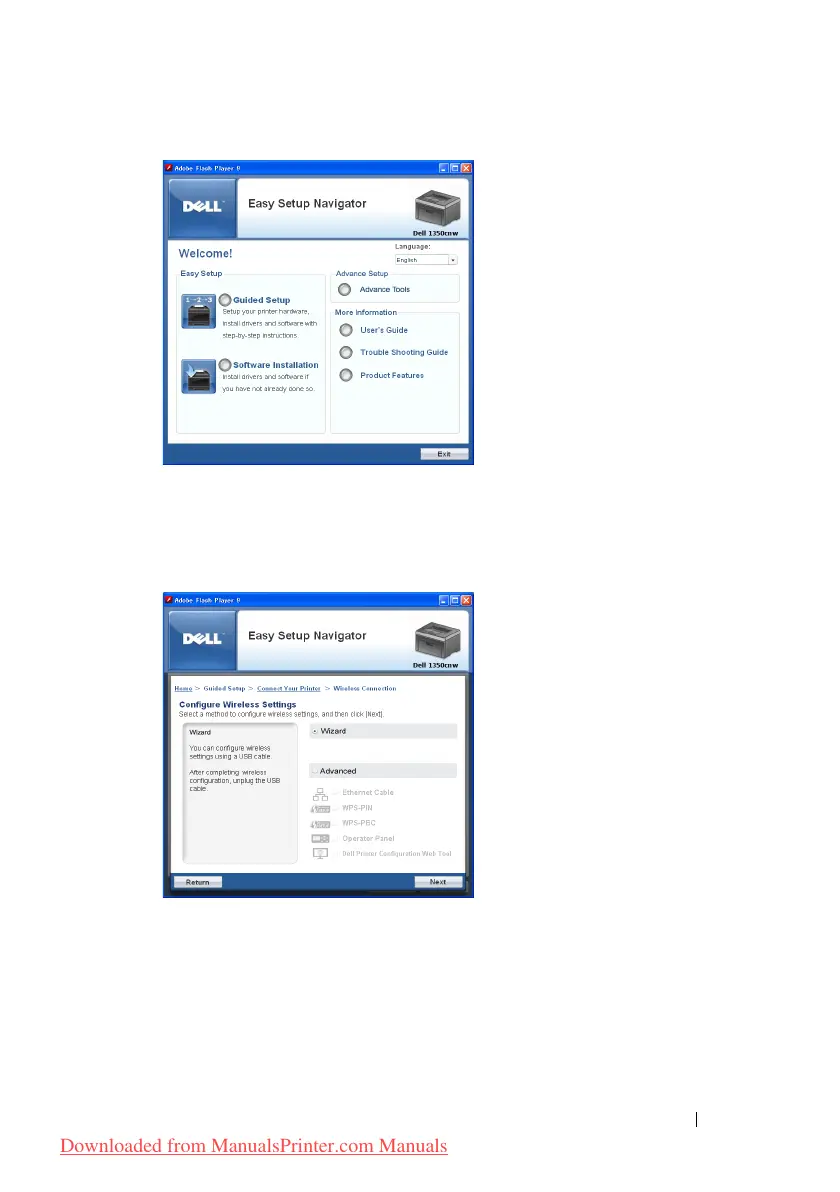
Installing Printer Drivers on Computers Running Windows 71
2
Click
Guided Setup
.
3
Select
Wireless Connection
, and then click
Next
.
The setting method selection window appears.
4
Ensure that
Wizard
is selected, and then click
Next
.
5
Follow the instructions until
Check Setup
screen appears.
6
Confirm there are no errors displayed in the operator panel, and then click
NO
.
If you see any errors, click
YES
and follow the instruction.
Downloaded from ManualsPrinter.com Manuals




 To Next Page