Connecting Your Projector 11
NOTE: Connectors are the same for 4220 and 4320 projectors.
CAUTION: Before you begin any of the procedures in this section, follow the
Safety Instructions as described on page 8.
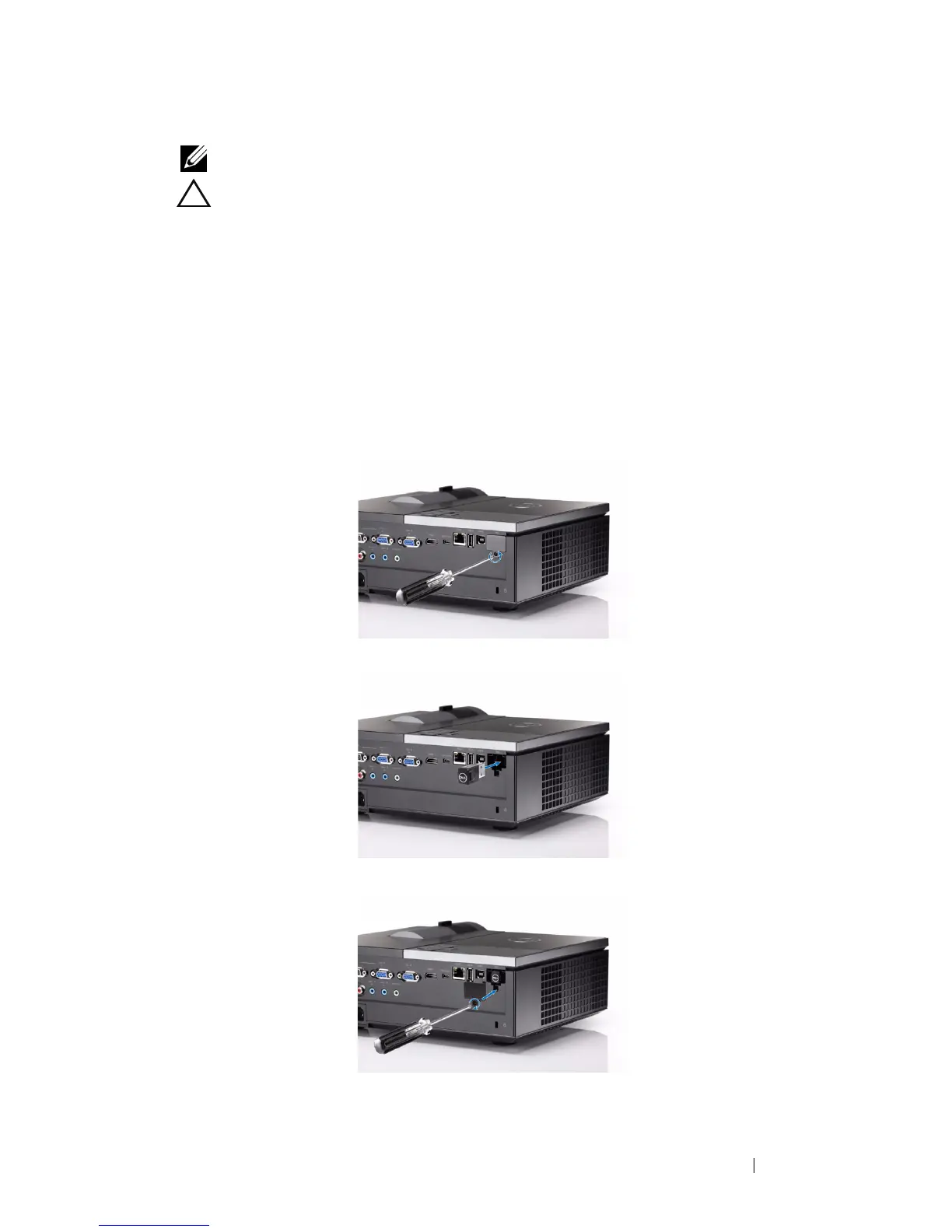
Installing the Optional Wireless Dongle
Your projector must be installed with a wireless dongle if you want to use the
wireless networking option. Refer to "Wireless Networking Installation" on
page 57. The wireless dongle is not shipped with your 4220/4320 projector.
You can purchase it on the Dell website at
www.dell.com
.
1
Unscrew and take off the wireless cover.
2
Plug in the wireless dongle.
3
Assemble the wireless cover.



 To Next Page