Using Your Projector 63
Launch the Wireless Application
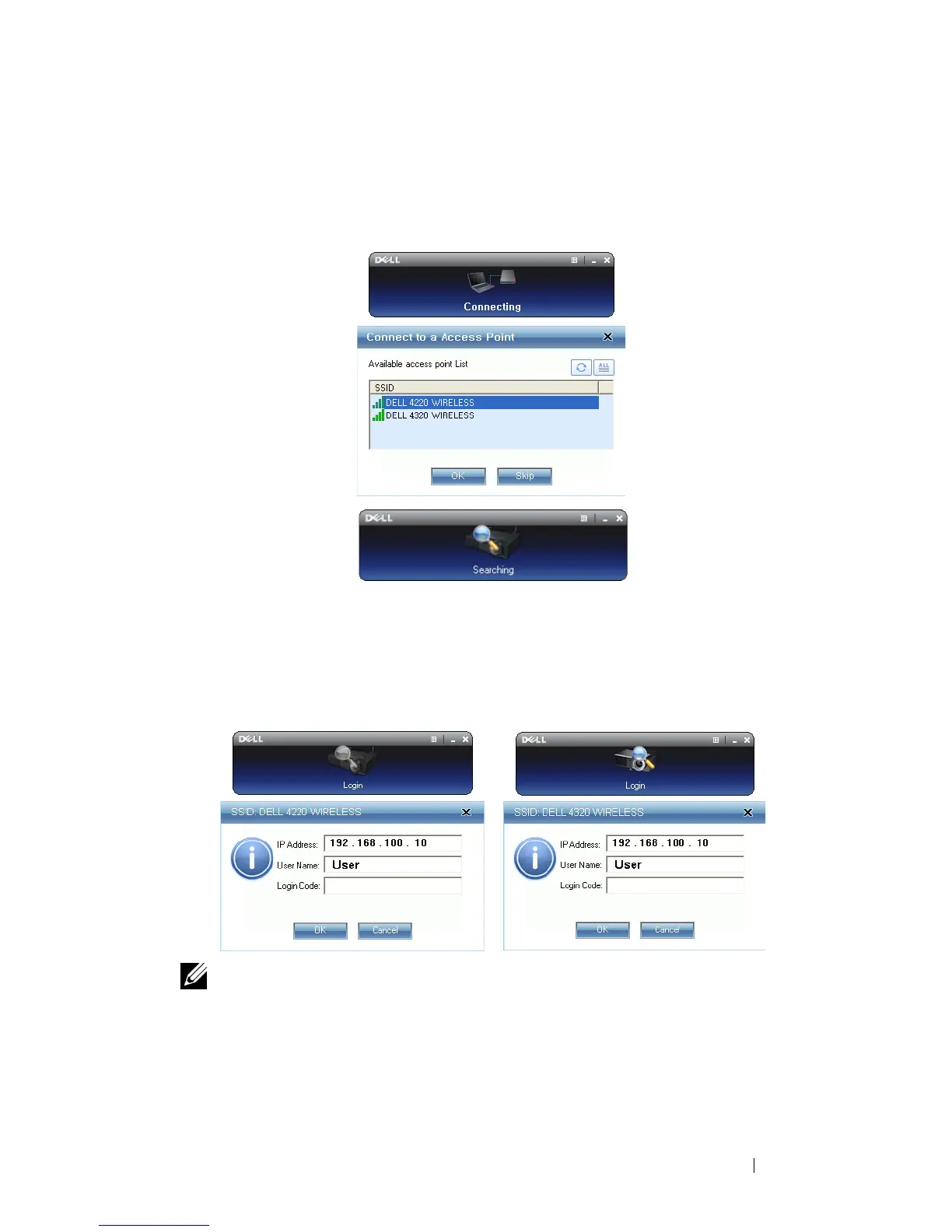
Once the installation is complete, the 4220 or 4320 Wireless Application software
will launch and will search for the projector automatically. The below screen
appears:
Login
To communicate with your projector, enter the Login Code provided in Step 6 of
Wireless Networking Installation, then click OK.
NOTE: If the IP Address is not detected, enter the IP Address displayed at the
bottom left corner of the screen.
Understanding the Buttons
After a successful log in, the following screen appears:
4220 Log in screen 4320 Log in screen



 To Next Page