36 Using Your Projector
Installing the Remote Control Batteries
NOTE: Remove the batteries from the remote control when not in use.
1
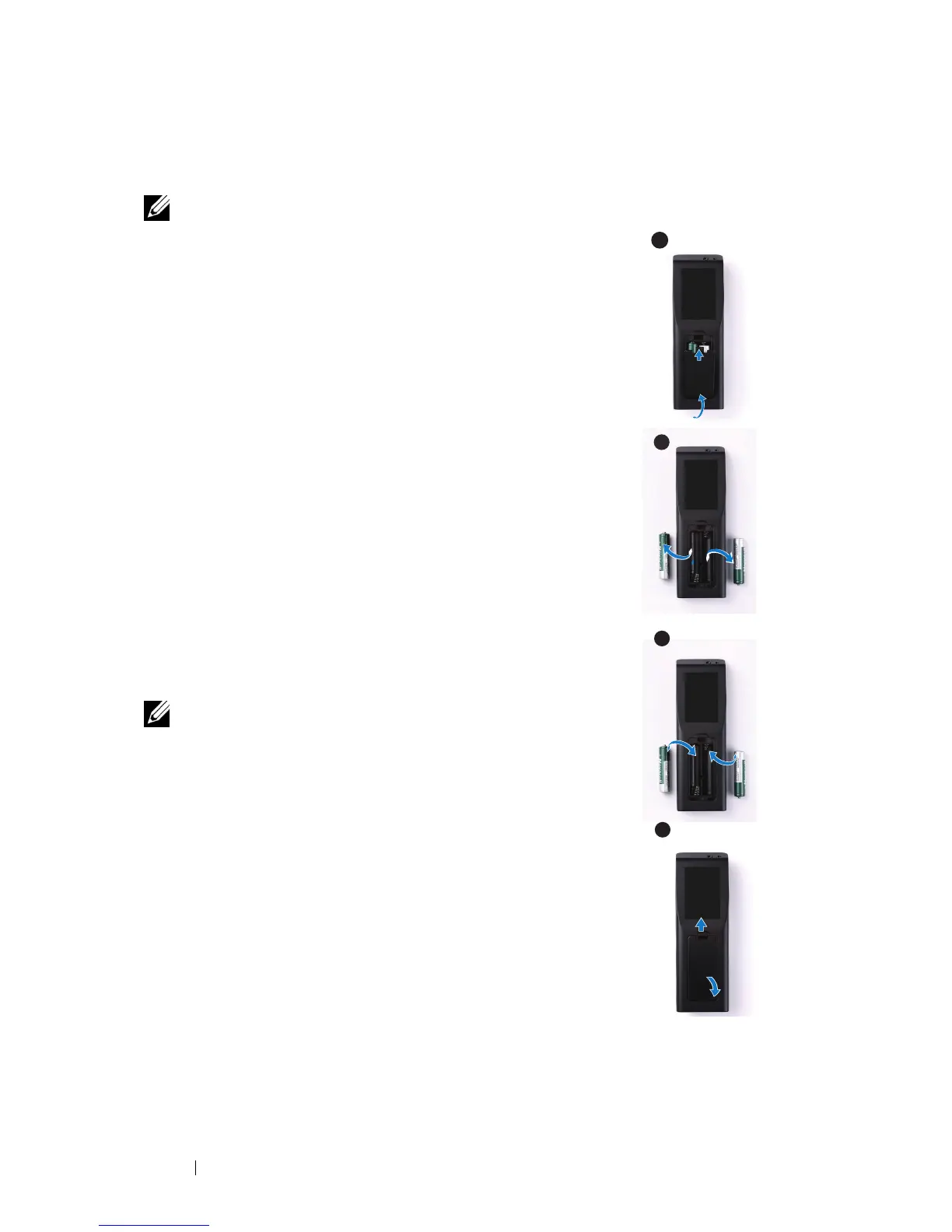
Press the tab to lift the battery compartment cover.
2
Check the polarity (+/-) marking on the batteries.
3
Insert the batteries and align their polarity correctly
according to the marking in the battery compartment.
NOTE: Avoid mixing different types of batteries or using
new and old batteries together.
4
Slip the battery cover back.
1
2
3
4



 To Next Page