22 Connecting Your Projector
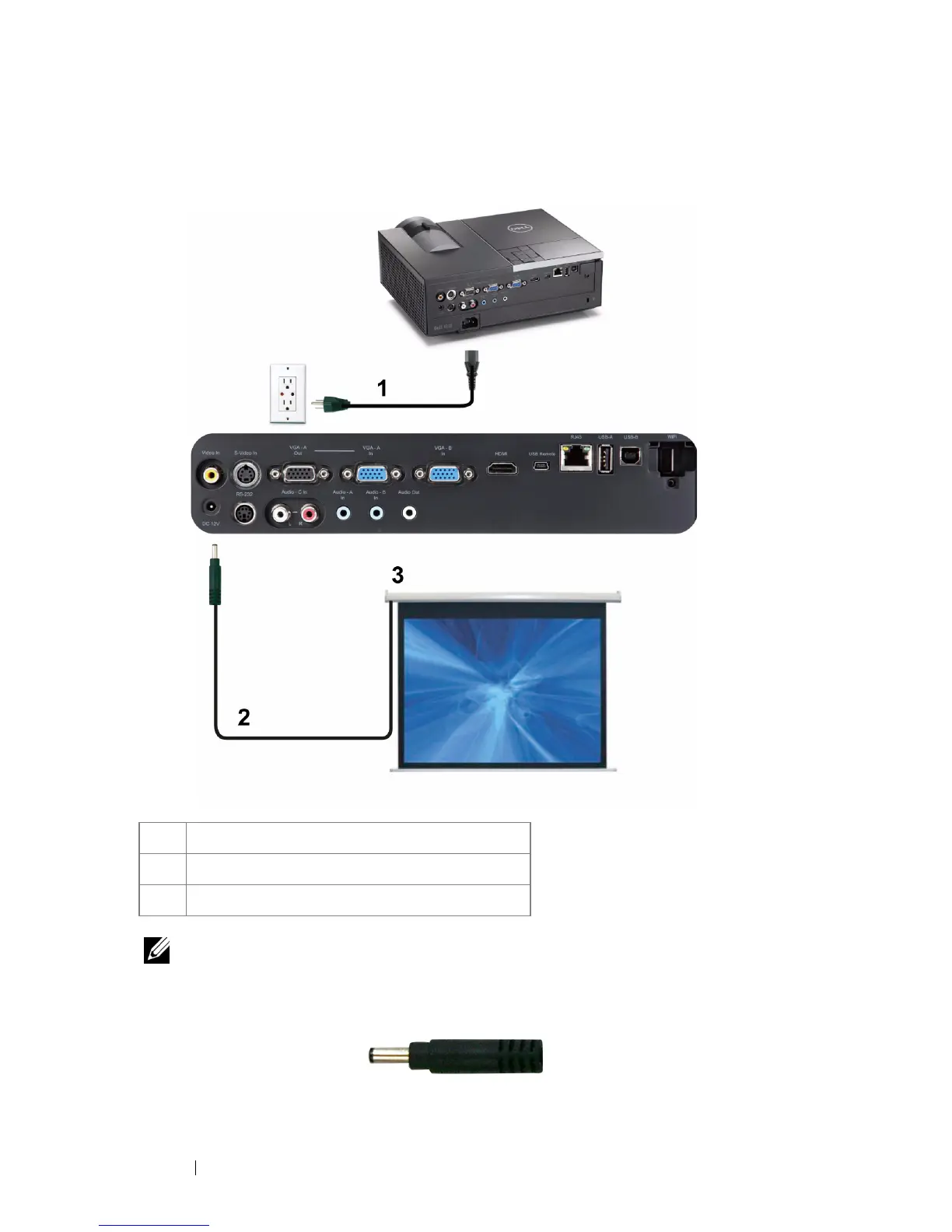
Professional Installation Options: Installation for Driving Automatic
Screen
NOTE: Use a 12 V DC plug in, 1.7 mm (ID) x 4.00 mm (OD) x 9.5 mm (shaft), to
connect the automatic screen to the projector.
12 V DC Plug
1 Power cord
2 12 V DC Plug
3 Motorized projection screen



 To Next Page