42 Using Your Projector
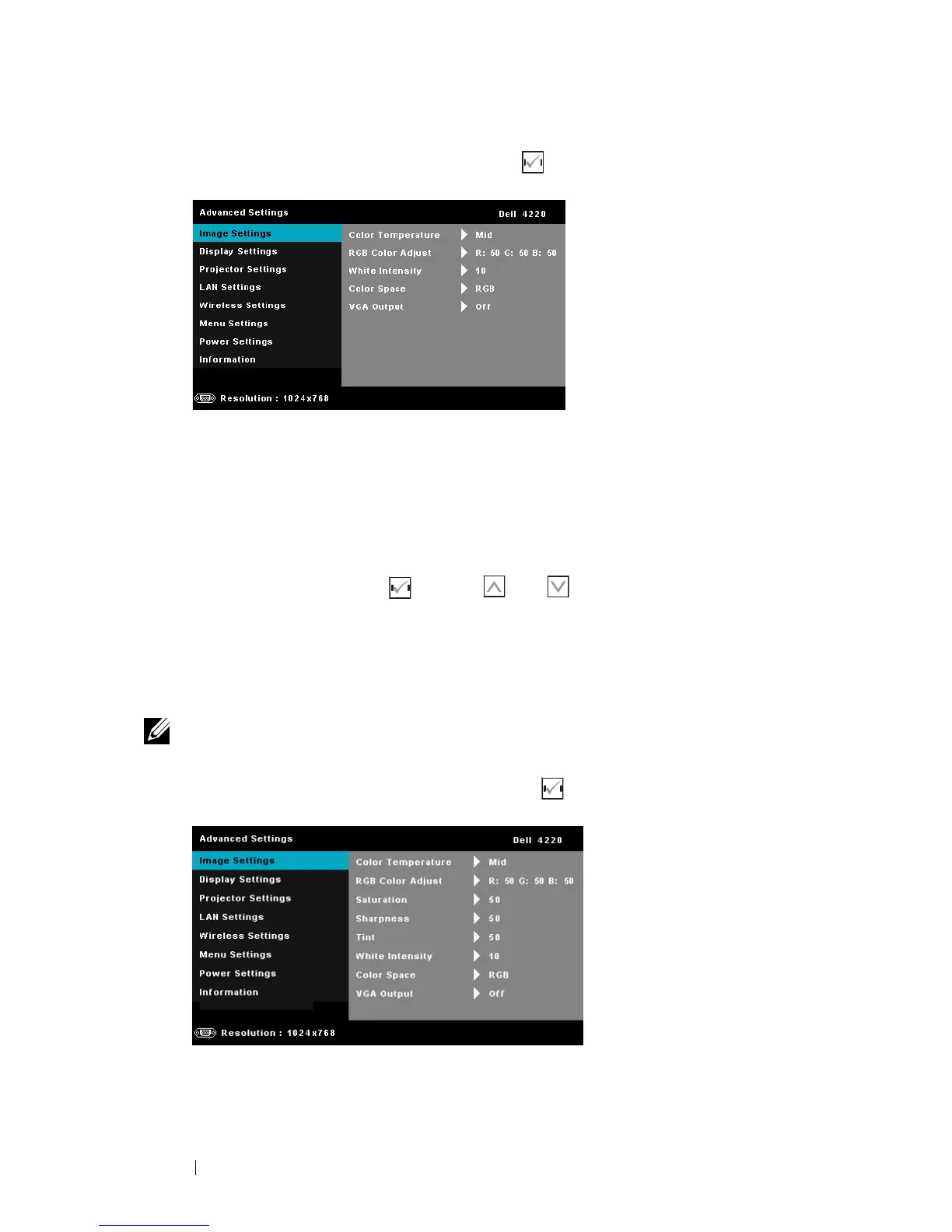
IMAGE SETTINGS (IN PC MODE)—Select and press to activate image settings.
The image settings menu provides the following options:
COLOR TEMPERATURE—Allows you to adjust the color temperature. The
screen appears cooler at higher color temperatures and warmer at lower
color temperatures. When you adjust the values in the Color Adjust menu,
the Custom mode is activated. The values are saved in the Custom mode.
RGB COLOR ADJUST—Allows you to manually adjust the colors red, green,
and blue.
WHITE INTENSITY—Press and use and to display white intensity.
COLOR SPACE—Allows you to select the color space. The options are: RGB,
YCbCr, and YPbPr.
VGA OUTPUT—Select On or Off the VGA output function at projector
standby status. Default is Off.
NOTE: If you adjust the settings for Color Temperature, RGB Color Adjust, and
White Intensity the projector automatically switch to Custom mode.
IMAGE SETTINGS (IN VIDEO MODE)—Select and press to activate image settings.
The image settings menu provides the following options:



 To Next Page