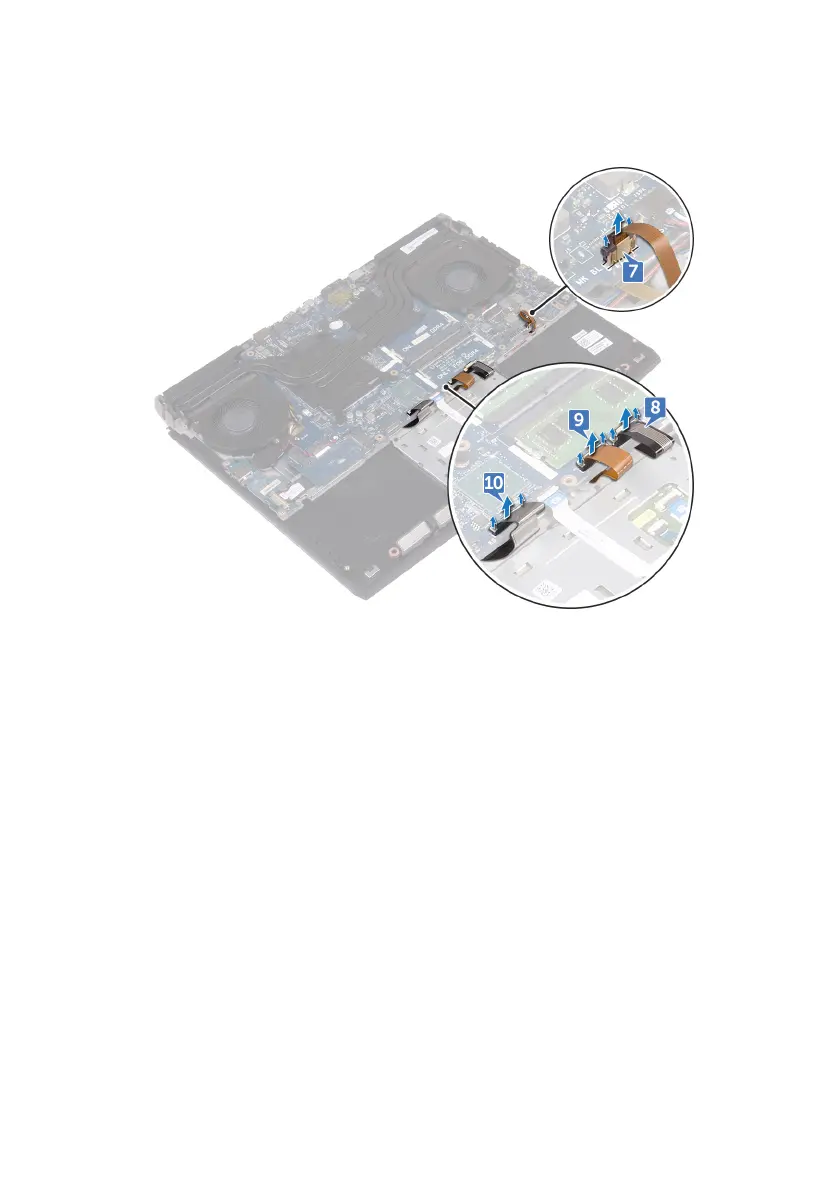
10 Open the latch and disconnect the keyboard cable (optional) from the system
board.
11 Disconnect the coin-cell battery cable from the system board.
12 Peel the tape to access the coin-cell battery cable on the system board.
13 Disconnect the power-adapter port cable from the system board.
14 Disconnect the speaker cable from the system board.
15 Open the latch and disconnect the RGB per key keyboard cable (optional)
from the system board.
16 Open the latch and disconnect the touchpad cable from the system board.
17 Peel the tape to access the I/O-board cable on the I/O board.
74












 To Next Page