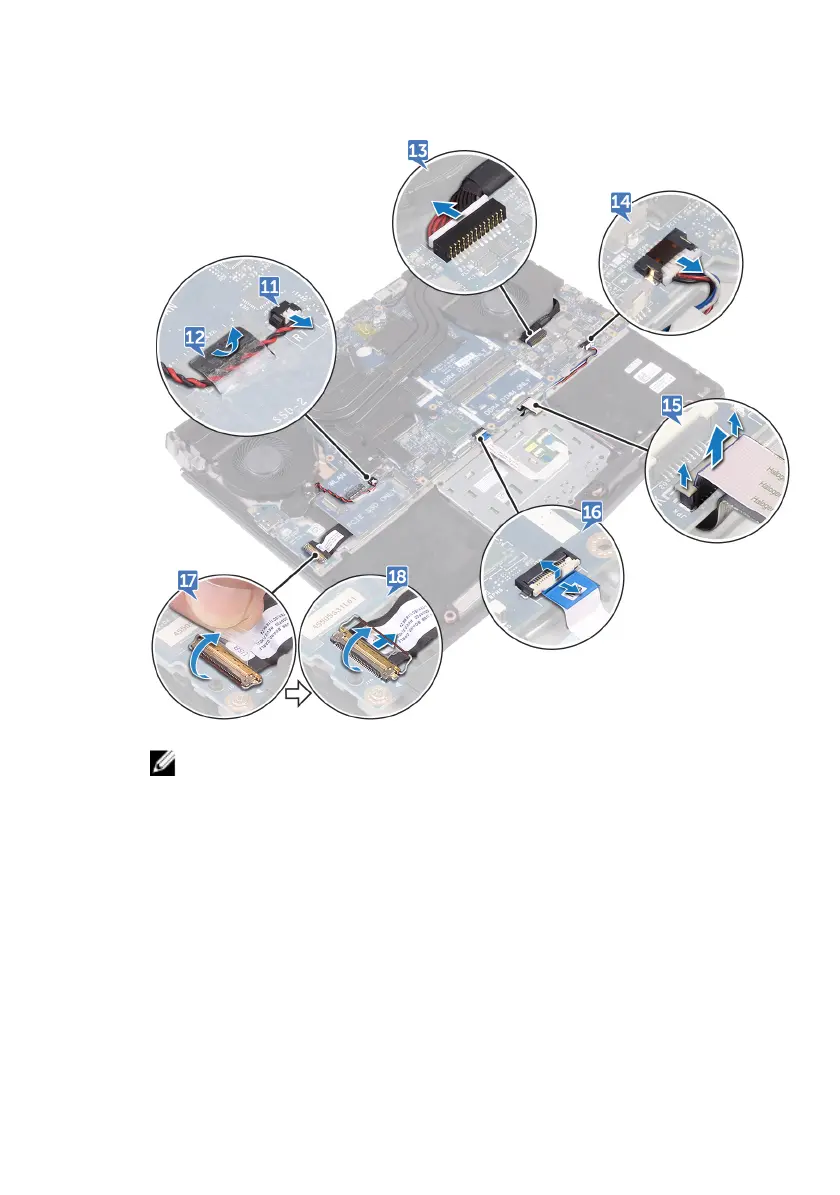
18 Open the latch and disconnect the I/O-board cable from the I/O board.
NOTE: Note the orientation of the USB Type-C port bracket before
removing it from the system board.
19 Remove the screw (M2.5x5) that secures the USB Type-C port bracket to the
system board and lift the USB Type-C port bracket o the system board.
20 Remove the six screws (M2.5x5) that secure the system-board assembly to
the palm-rest assembly.
75












 To Next Page