Operating the monitor | 53
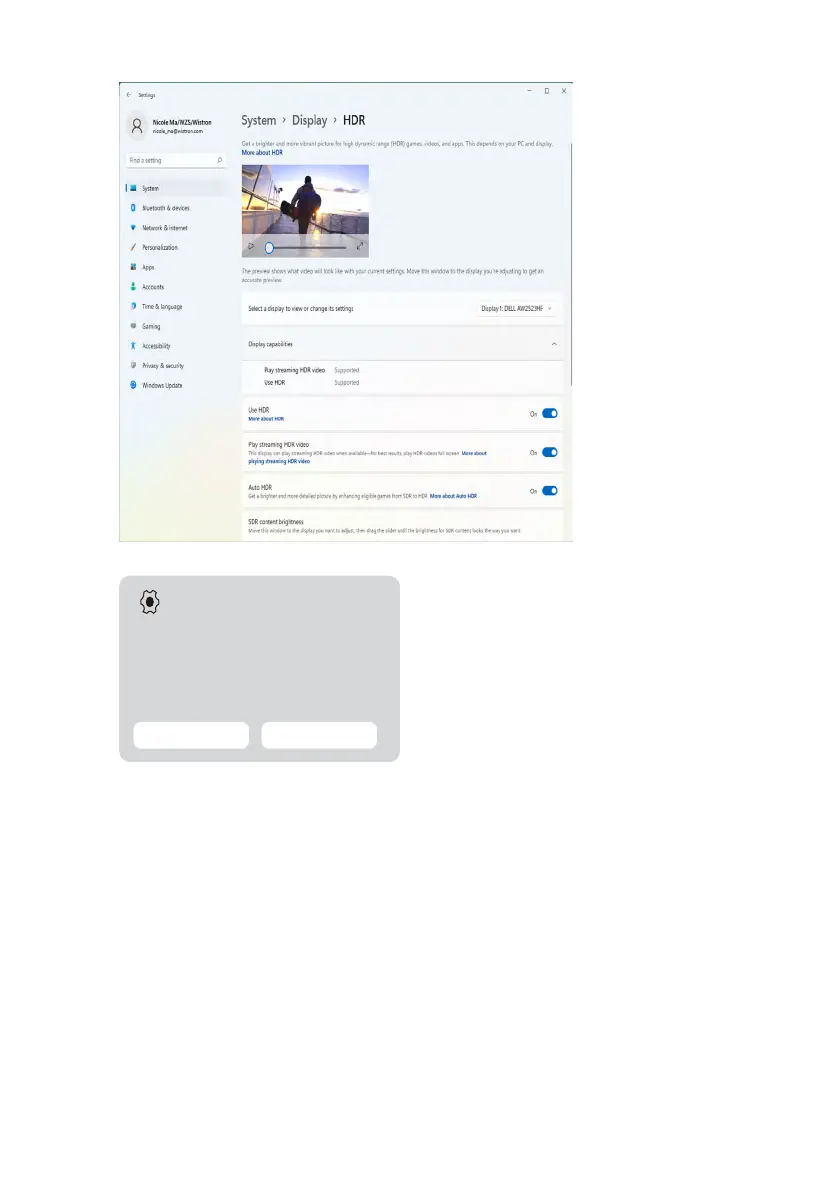
4. Select Auto HDR with On.
5. A message pops as below when you start a game.
Settings
Auto HDR is on
Good news --- your game has been enhanced for a
brighter and more detailed picture. You can turn o
Auto HDR any time in Settings.
Open Settings Dismiss












 To Next Page