52 | Operating the monitor
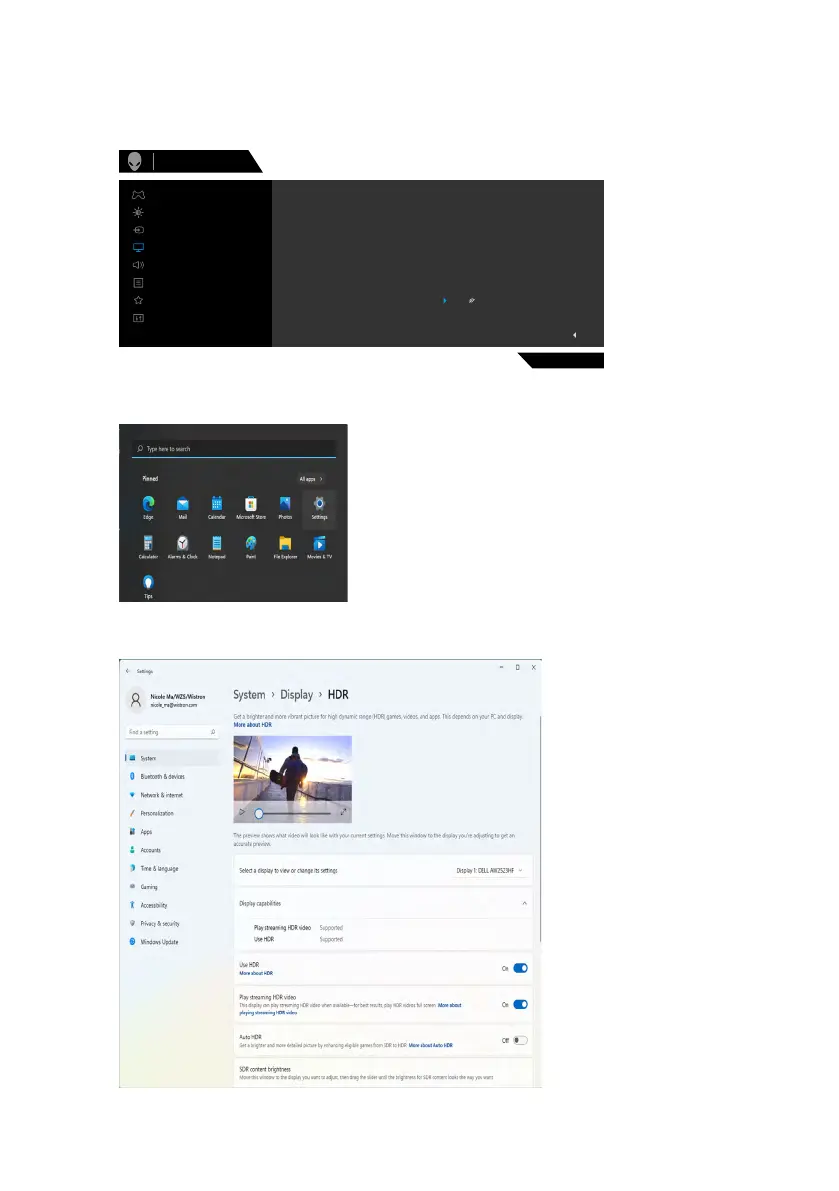
Open Auto HDR in Windows 11
In Windows 11, set the Auto HDR mode for gaming to improve picture quality.
1. Use the joystick, select Display > Smart HDR > Game HDR.
AW2523HF
Exit
Input Color Format
Aspect Ratio
Smart HDR
Sharpness
Reset Display
Desktop
Game HDR
Alienware 25 Monitor
Movie HDR
O
Game
Display
Menu
Personalize
Others
Input Source
Audio
Brightness/Contrast
2. Click Windows start menu, click Settings.
3. Click System > Display > HDR, Select Use HDR with Supported, and Use
HDR with On.












 To Next Page