0108
0108
/
CHAPTER 24: CONSUMER IR BOARD
2
1
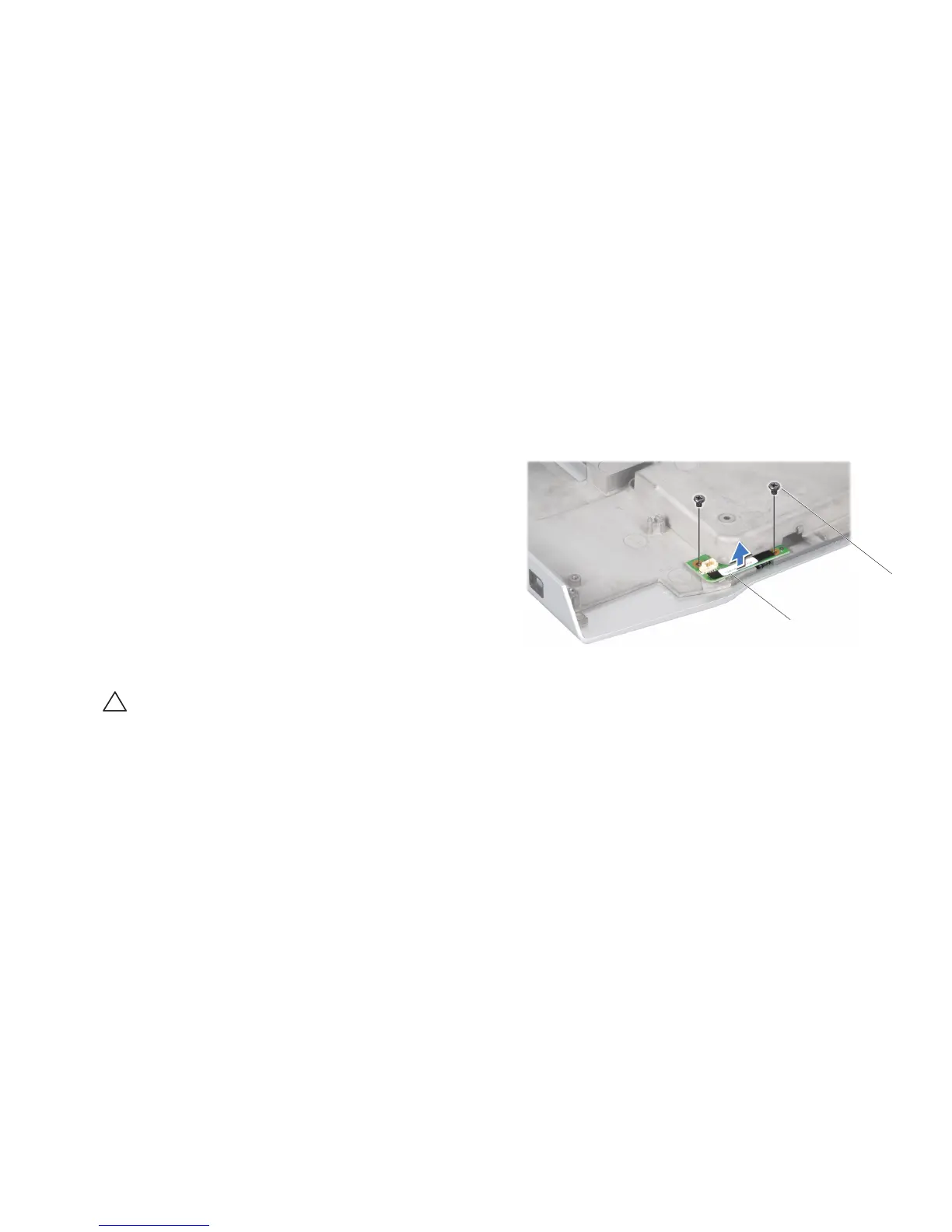
1 consumer IR board 2 screws (2)
Removing the Consumer IR Board
Follow the instructions in “Before You Begin” on page 1. 6.
Remove the system board (see “Removing the System Board” on page 2. 99).
Remove the speakers (see “Removing the Speakers” on page 3. 105).
Remove the two screws that secure the consumer IR board to the computer 4.
base.
Lift the consumer IR board o the computer base. 5.
Replacing the Consumer IR Board
Follow the instructions in “Before You Begin” on page 1. 6.
Place the consumer IR board on the computer base. 2.
Replace the two screws that secure the consumer IR board to the computer 3.
base.
Replace the speakers (see “Replacing the Speakers” on page 4. 105).
Replace the system board (see “Replacing the System Board” on page 5. 102).
CAUTION: Before turning on the computer, replace all screws and ensure
that no stray screws remain inside the computer. Failure to do so may
result in damage to the computer.










 To Next Page