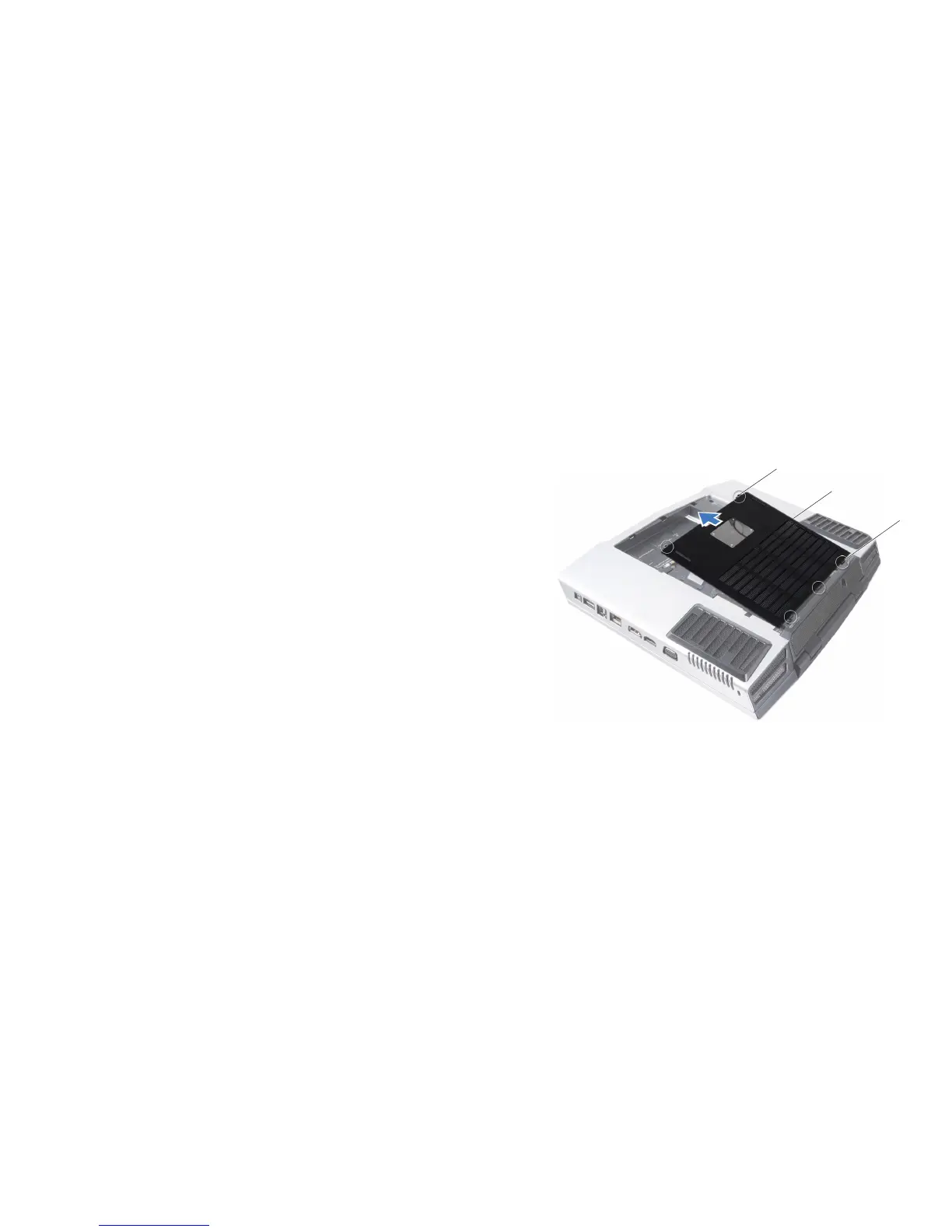
1 captive screws (2) 3 compartment door tabs (3)
2 compartment door
Removing the Compartment Door
Follow the instructions in “Before You Begin” on page 1. 6.
Remove the battery pack (see “Removing the Battery Pack” on page 2. 11).
Loosen the two captive screws and remove the compartment door.3.
Replacing the Compartment Door
Follow the instructions in “Before You Begin” on page 1. 6.
Align the compartment door tabs with the slots on the base of the 2.
computer.
Place the compartment door and tighten the two captive screws.3.
Replace the battery pack (see “Replacing the Battery Pack” on page 4. 11).










 To Next Page