058
058
/
CHAPTER 13: DISPLAY
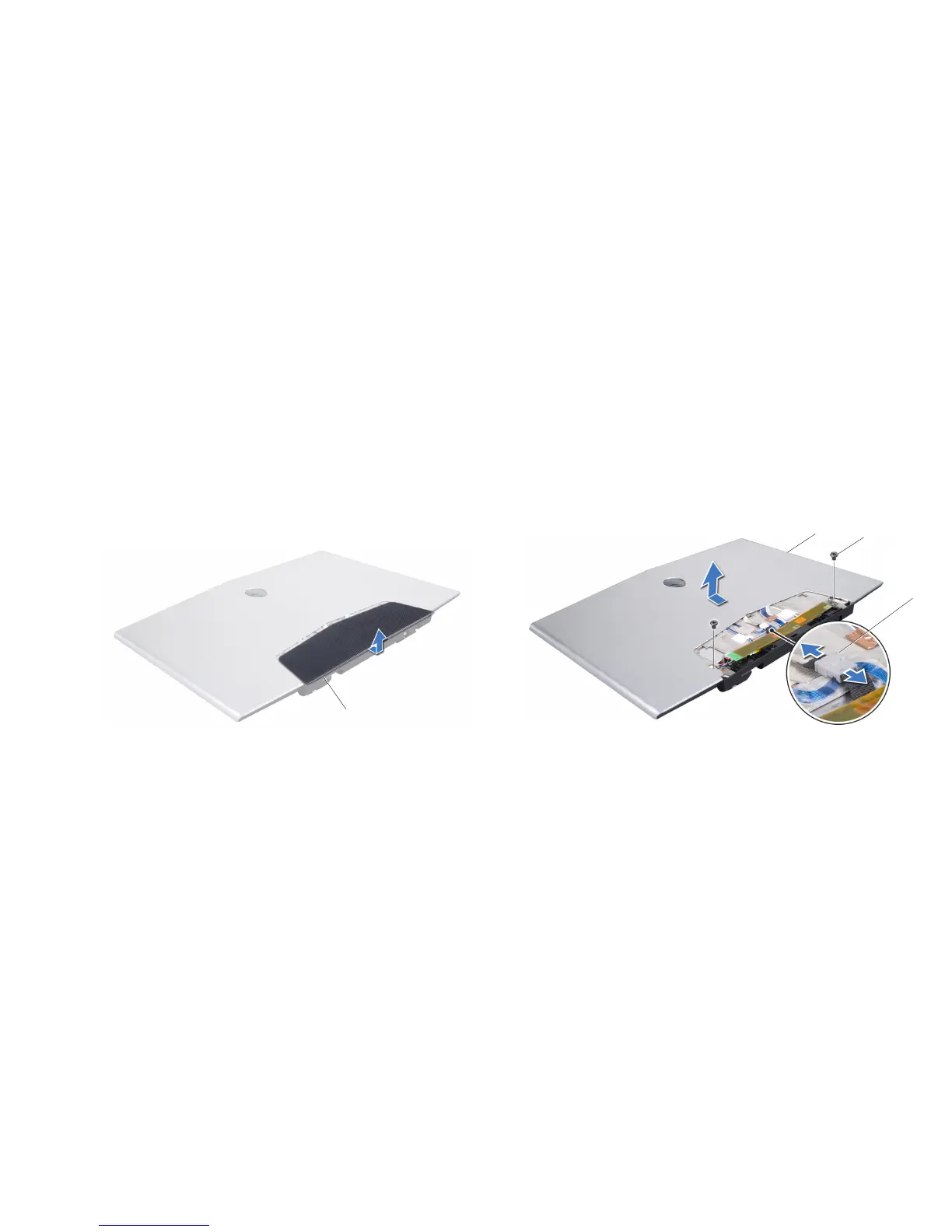
Slide the display back cover door out and lift it o the display assembly.11.
1
1 display back cover door
Remove the two screws that secure the display back cover to the display 12.
assembly.
Disconnect the AlienHead cable from the connector.13.
Slide the display back cover up and lift it o the display assembly.14.
1
3
2
1 display back cover 3 AlienHead cable connector
2 screws (2)










 To Next Page