EasyManua.ls Logo

Dell Alienware M17X R2 - Page 65

Dell Alienware M17X R2
118 pages
Print Icon
To Next Page IconTo Next Page
To Previous Page IconTo Previous Page
Loading...
065
065
/
CHAPTER 14: INPUT/OUTPUT BOARD
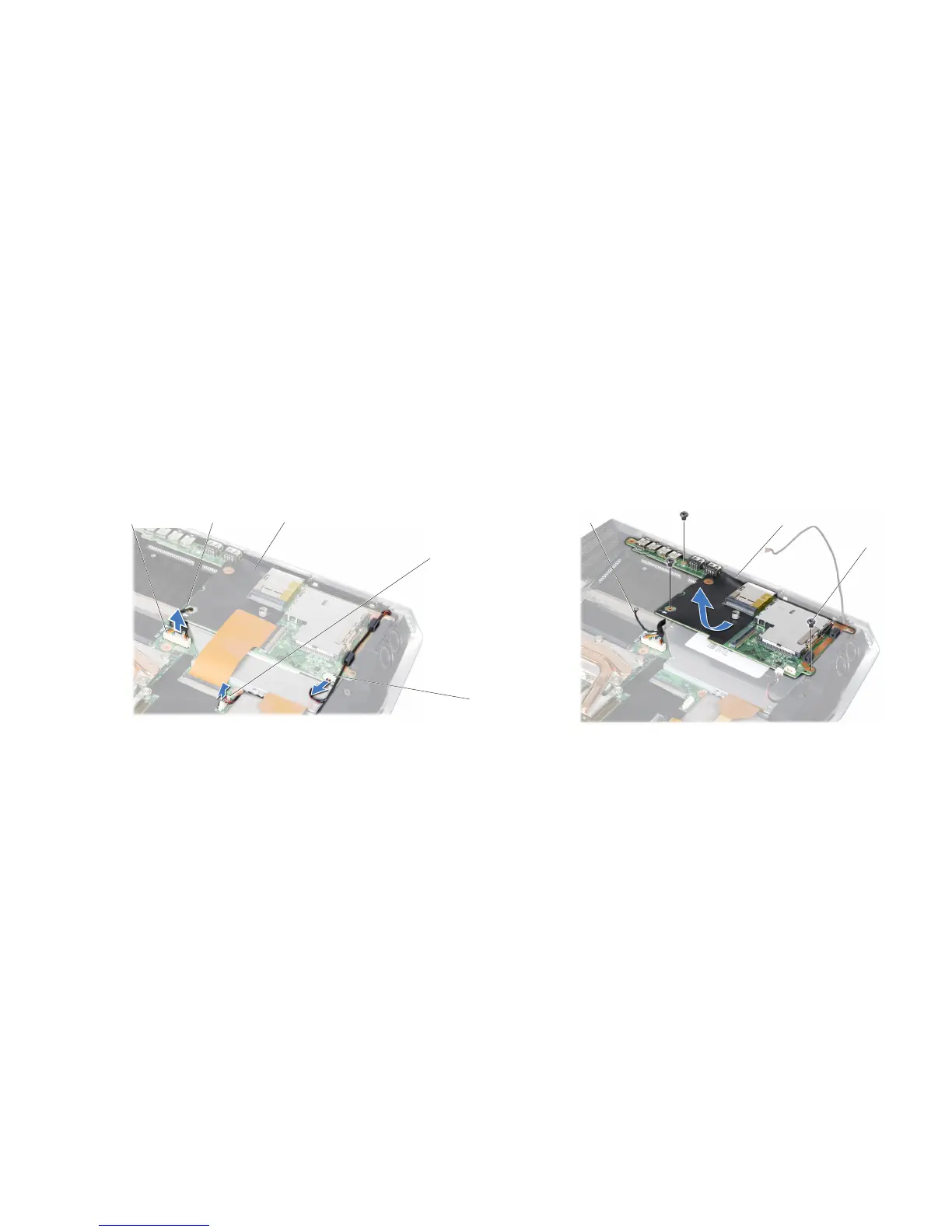
Remove the three screws that secure the input/output board to the system 11.
board and remove the earthing cable.
Tilt the input/output board at an angle and lift it out of the computer base.12.
3
2
1
1 earthing cable 3 screws (3)
2 input/output board
Disconnect the speaker cable, right speaker light cable, and audio cable from 10.
the respective connectors on the system board and remove the cables from
the routing guides.
5
4
3
1
2
1 audio cable connector 4 right speaker light cable connector
2 earthing cable 5 speaker cable connector
3 input/output board

Table of Contents

Other manuals for Dell Alienware M17X R2

Related product manuals