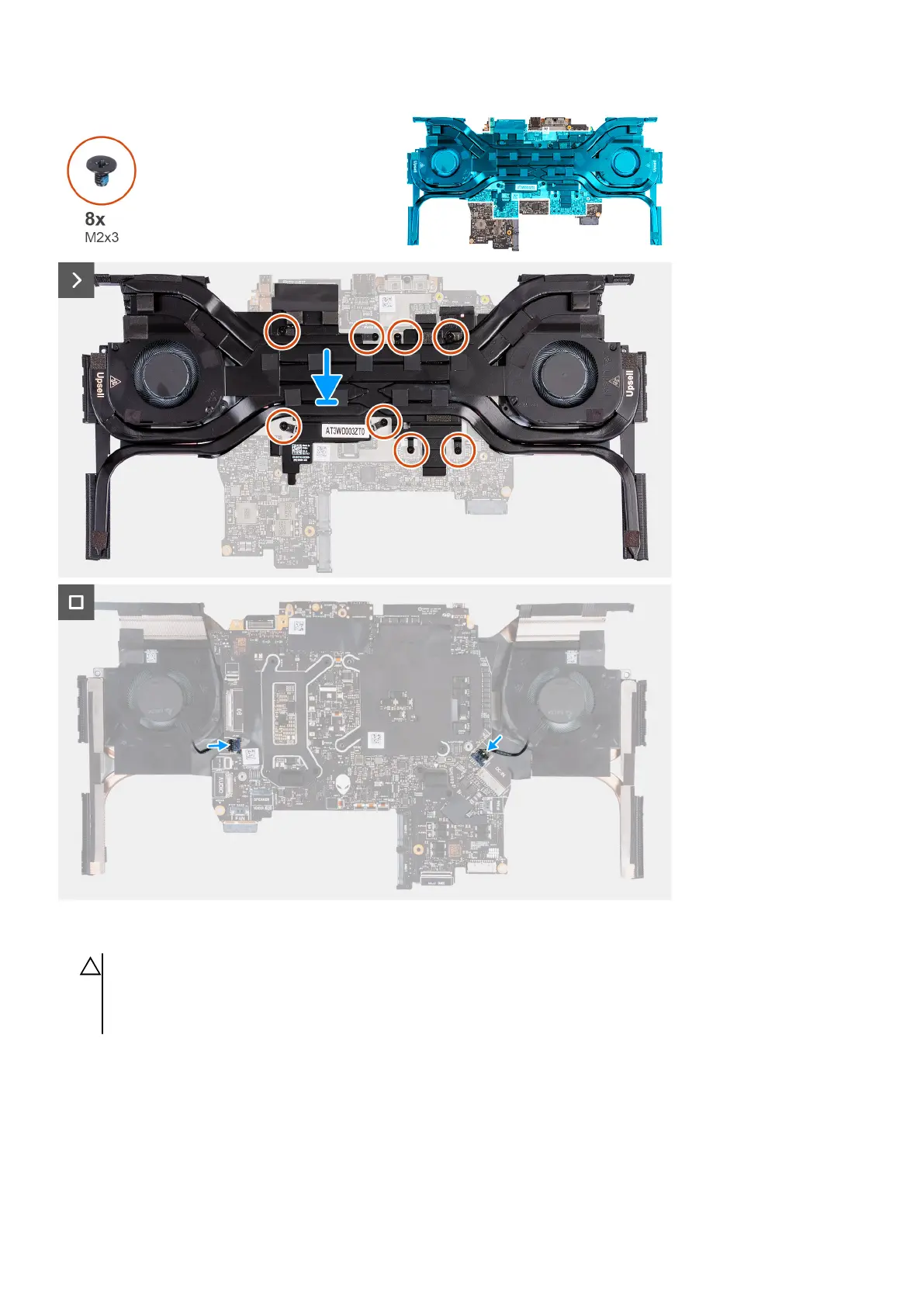
Steps
1.
CAUTION: Do not use an alcohol wipe to clean the Element 31 thermal grease off the surface of the CPU or GPU, the
alcohol solution from the wipes will dissolve the Element 31 grease into conductive metal particles. If these conductive
metal particles come into contact with the surface of the system board, it will cause the an electrical short when your
computer is powered on.
Align and place the fan and heat-sink assembly on the system board.
2. Align the screw holes on the fan and heat-sink assembly to the screw holes on the system board.
3. In the sequential order (1>2>3>4>5>6>7>8), replace the eight screws (M2x3) that secure the fan and heat-sink assembly to
the system board.
4. Turn the system-board assembly over.
5. Connect the left fan and right fan cables to the system board.
72








 To Next Page