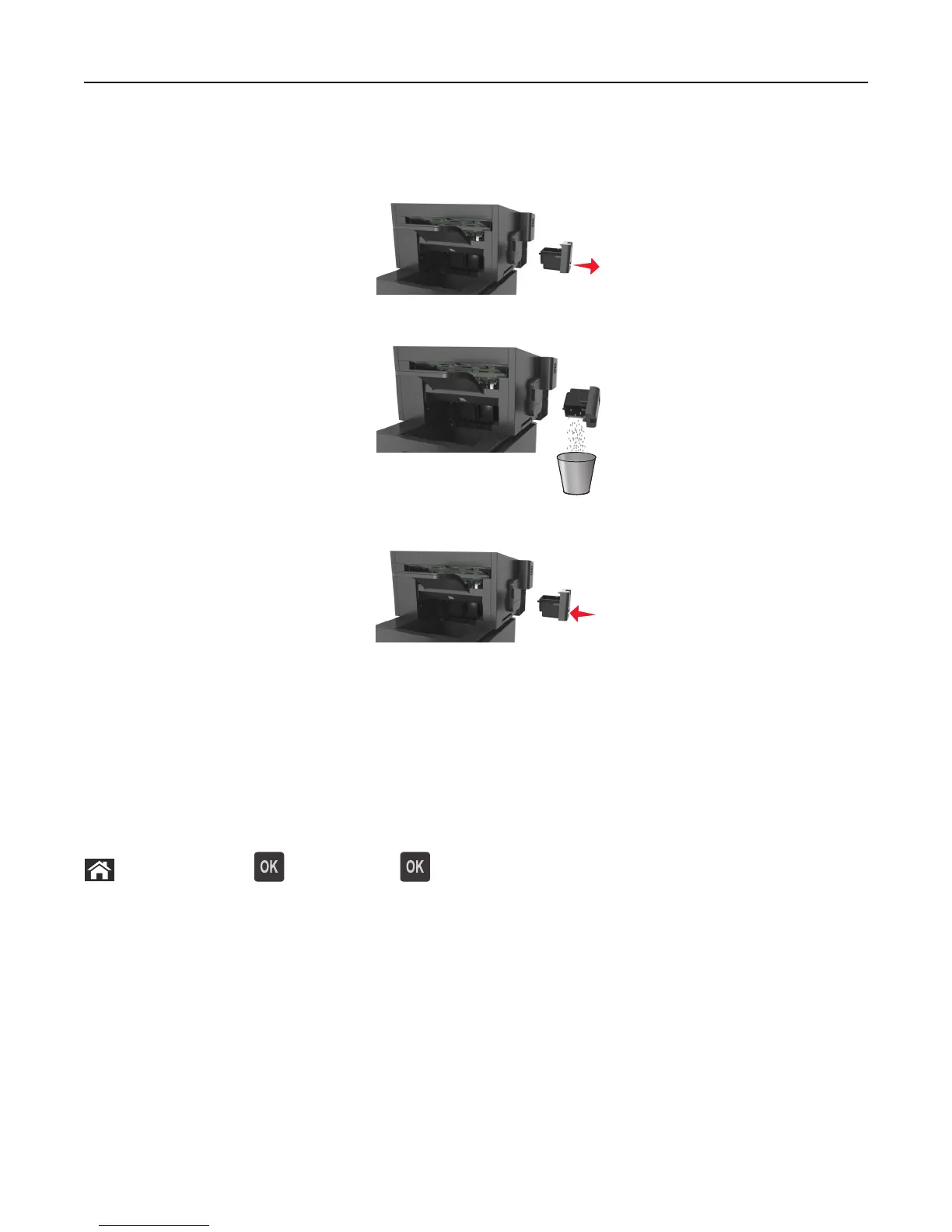
Emptying the hole punch box
1 Pull out the hole punch box.
2 Empty the container.
3 Insert the emptied hole punch box back into the finisher until it clicks into place.
Checking the status of parts and supplies
A message appears on the printer display when a replacement supply item is needed or when maintenance is required.
Checking the status of parts and supplies on the printer control panel
From the printer control panel, navigate to:
> Status/Supplies > View Supplies >
Checking the status of parts and supplies from the Embedded Web Server
Note: Make sure the computer and printer are connected to the same network.
1 Open a Web browser, and then type the printer IP address in the address field.
Notes:
• View the printer IP address in the TCP/IP section in the Network/Ports menu. The IP address appears as four
sets of numbers separated by periods, such as 123.123.123.123.
• If you are using a proxy server, then temporarily disable it to load the Web page correctly.
2 Click Device Status > More Details.
Maintaining the printer 138















 To Next Page