About Your Monitor │ 13
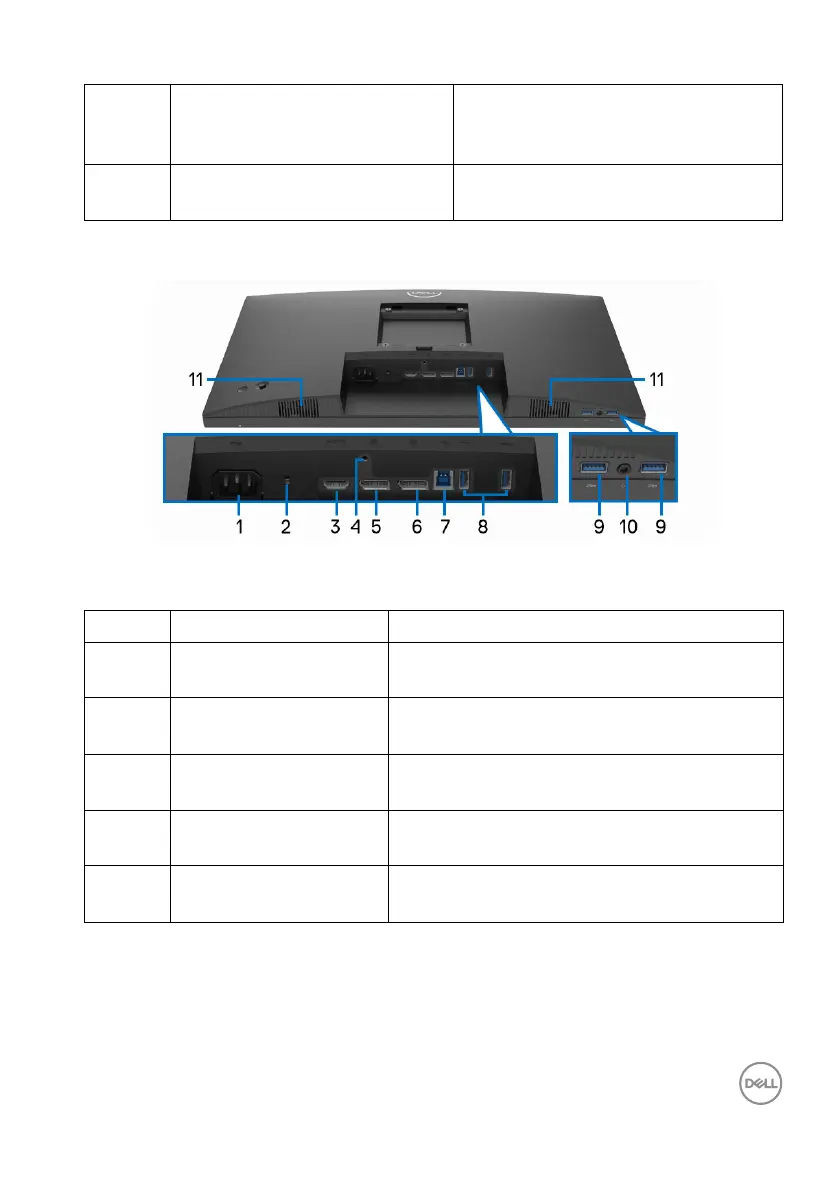
Bottom View
Bottom View without Monitor Stand
6 Joystick Use to control the OSD menu. (For
mo
re Information, see Operating the
Monitor)
7 Cable-management slot Use to organize cables by inserting
them thr
ough the slot.
No. Description Use
1 Power connector Connect the power cable (shipped with your
mon
itor).
2 Security lock slot Secures the monitor with security lock
(
security lock not included).
3 HDMI port Connect your computer with the HDMI
cab
le.
4 Stand lock feature To lock the stand to the monitor using a M3 x
6 mm s
crew (screw not included).
5 DisplayPort Connect your computer with the DisplayPort
cab
le.














 To Next Page