40 │ Setting Up the Monitor
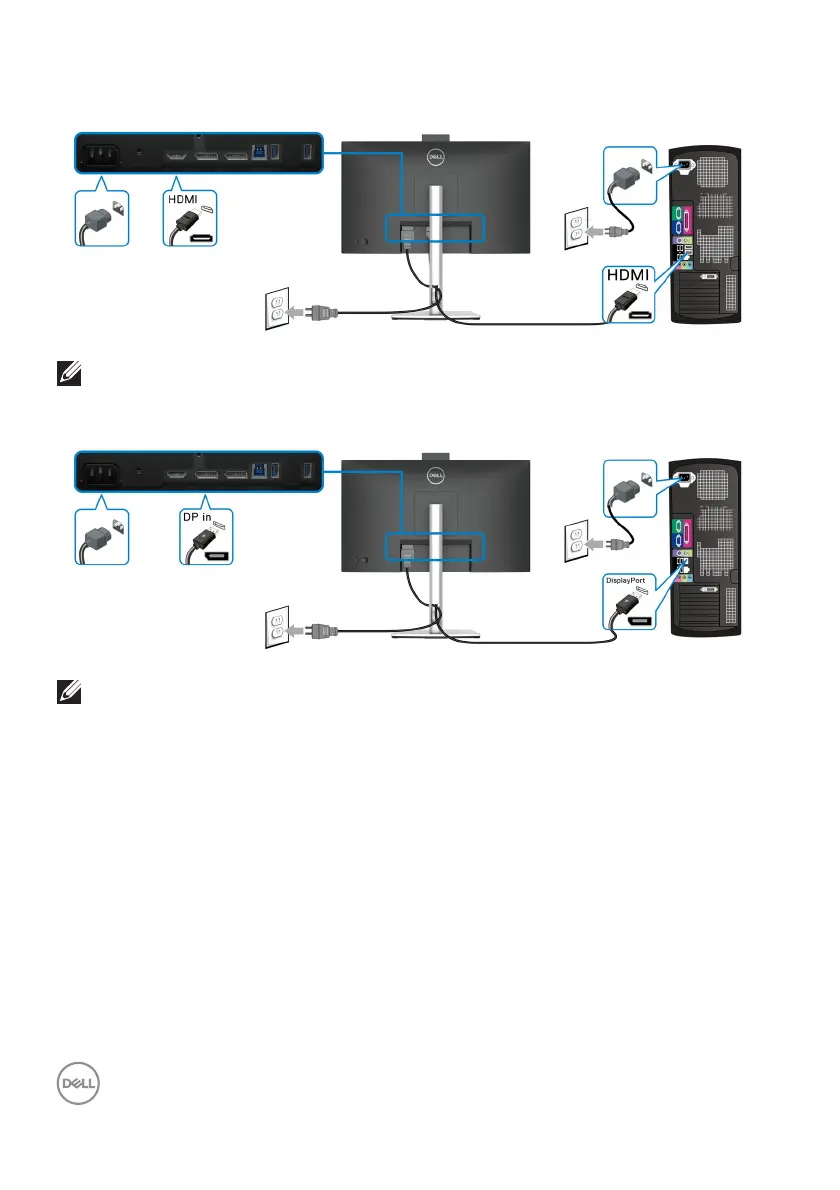
Connecting the HDMI Cable
NOTE: The default out of factory setting is HDMI 1.4.
Connecting the DisplayPort (DisplayPort to DisplayPort) Cable
NOTE: The default out of factory setting is DP1.2. If the monitor fails to
show any content after the DisplayPort cable is connected, follow the
procedures below to change the settings to DP1.1:
• Press the joystick to open the Menu Launcher.
• Toggle the joystick to select Input Source.
• Toggle the joystick to highlight DP.
• Press and hold the joystick for approximately 10 seconds, and the DisplayPort
con
figuration message appears.
• Toggle the joystick to select Ye
s and then press the joystick to save the
changes.














 To Next Page