Setting Up the Monitor │ 41
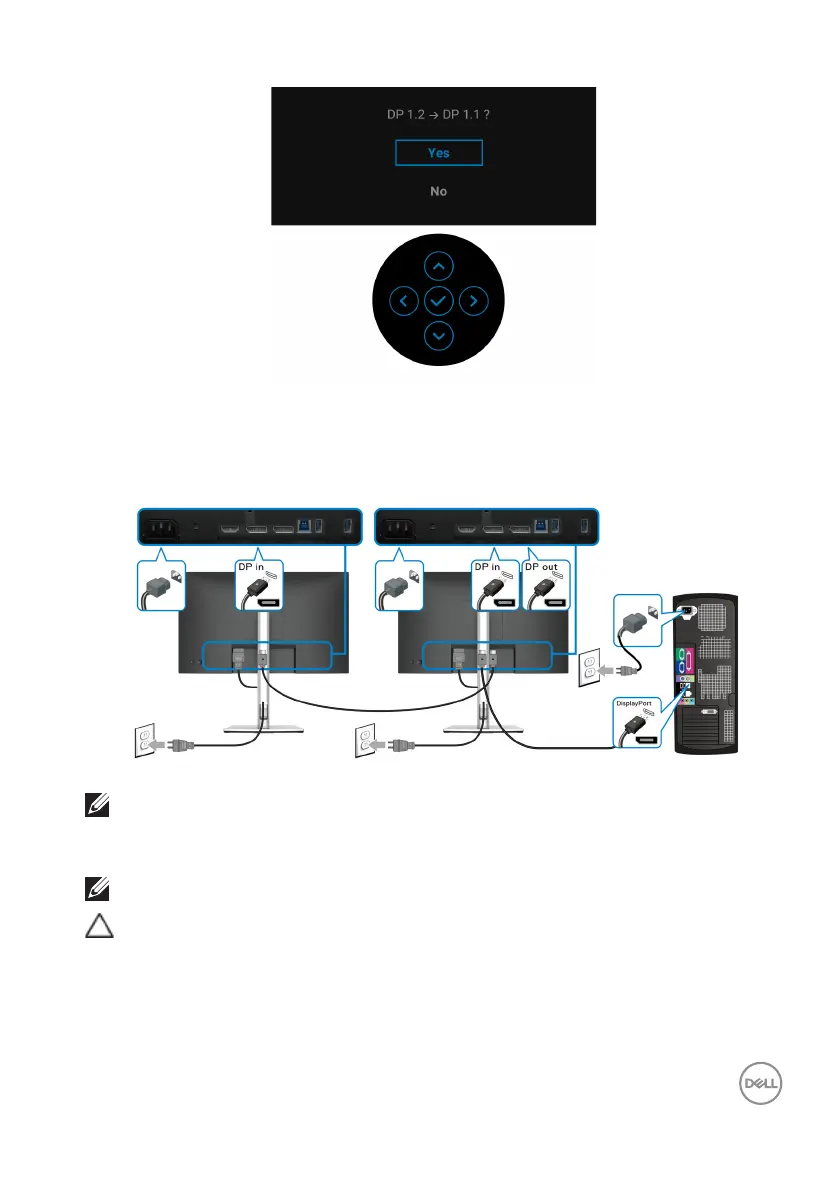
Repeat the above steps to change the DisplayPort format settings if
necessary.
Connecting the Monitor for DP Multi
-Stream Transport (MST) Function
NOTE: This monitor supports the DP MST feature. To make use of this
feature, your PC Graphics Card must be certified to at least DP1.2 with
MST option.
NOTE: Remove the rubber plug when using DP out connector.
CAUTION: The graphics are used for the purpose
of illustration only.
Appearance of the computer may vary.
If your monitor displays an image, installation is
complete. If it does not display an
image, see Common Problems.














 To Next Page