Operating the Monitor │ 59
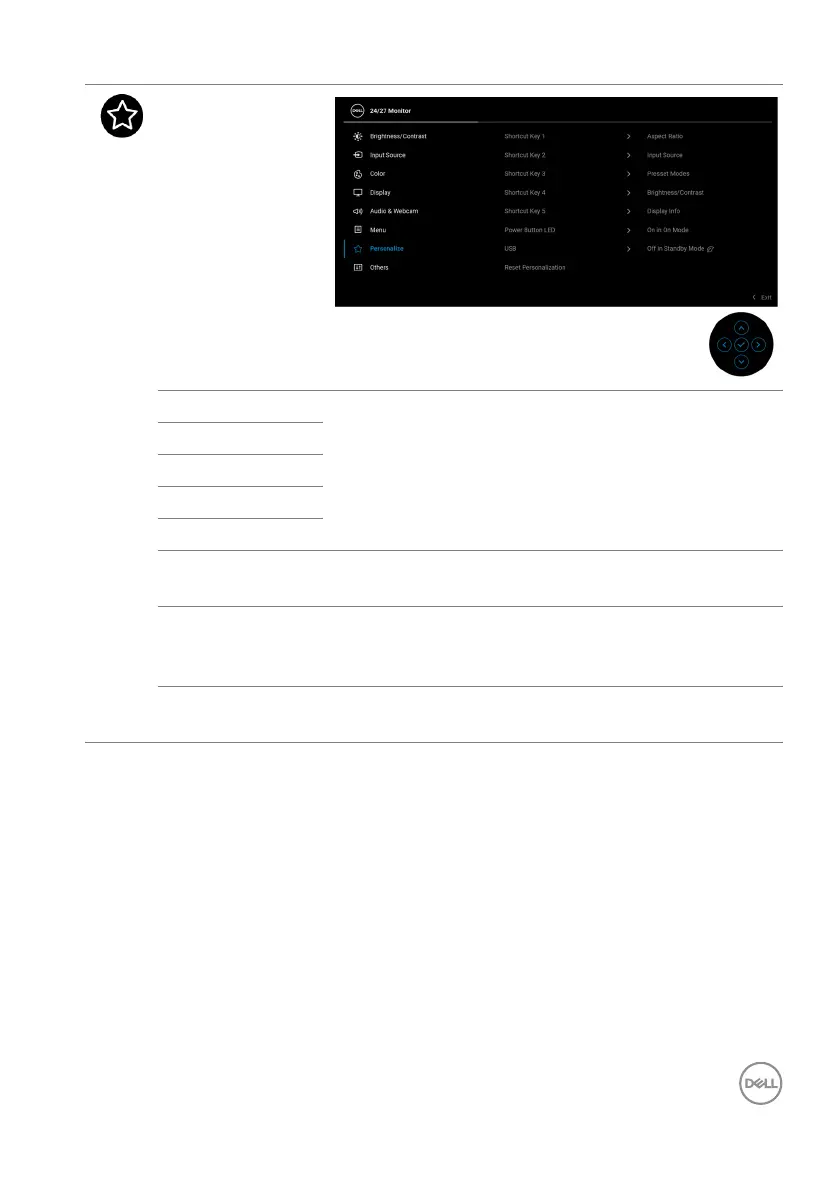
Personalize
Shortcut Key 1
Allows you to choose a feature from Pr
eset Modes,
Brightness/Contrast, Input Source, Aspect
Ratio, Vol ume, Speaker, Microphone, Webcam,
Rotation, or Display Info and set it as a shortcut
key.
Shortcut Key 2
Shortcut Key 3
Shortcut Key 4
Shortcut Key 5
Power Button
LED
Allows you to set the power LED indicator on or off
t
o save energy.
USB Allows you to enable or disable USB Type-A
Do
wnstream Ports charging function during monitor
standby mode.
Reset
Pe
rsonalization
Press the joystick to reset all settings under the
Personalize menu to the factory preset values.














 To Next Page