Operating the Monitor │ 79
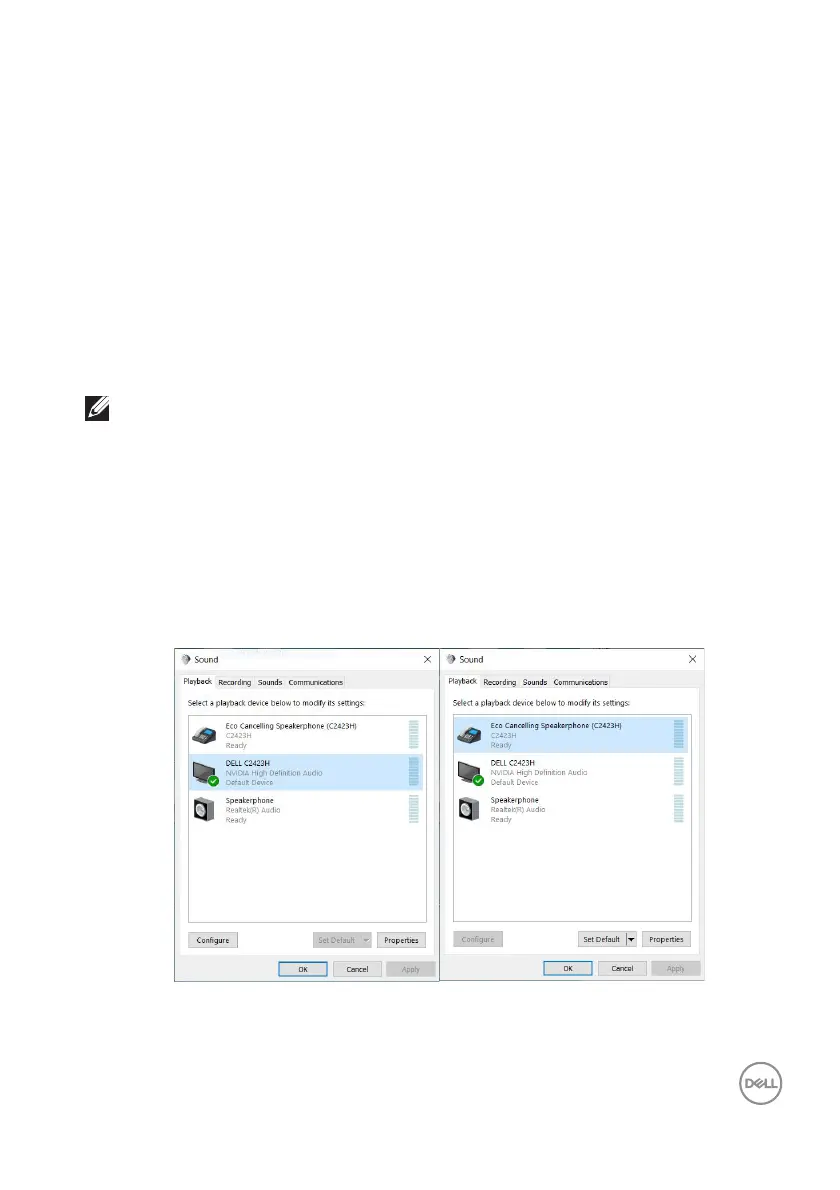
• Echo Cancelling Speakerphone (C2423H/C2723H) audio path is where
audio streams through USB. This is through USB-A to USB-B cable. As the
microphone path streams from monitor back to PC through USB, this
selection is required for VoIP/UC conference applications. Audio Recording
and Playback will work under this selection.
• DELL C2
423H/C2723H audio path is where audio streams through HDMI/
DP. Under this selection, there will not be microphone support. This selection
is suitable for Audio Playback only.
Audio Playback performance would be the same
for either audio path selection.
Under normal Playback with USB-A to USB-B and/or for UC conference
applications, default selecting the Echo Cancelling Speakerphone (C2423H/
C2723H) audio path is recommended.
NOTE: If you select DELL C2423H/C2723H audio path, please ensure
that the Echo Cancelling Speakerphone (C2423H/C2723H) volume is
set to medium or high. Else, the DELL C2423H/C2723H maximum
volume may sound soft because it is limited by the Echo Cancelling
Speakerphone (C2423H/C2723H) volume. For example, when the Echo
Cancelling Speakerphone (C2423H/C2723H) volume is at 50%, and the
DELL C2423H/C2723H volume is set to 100%, the DELL C2423H/
C2723H will have the same sound level as the former.














 To Next Page