322 Maintaining Your Printer
13
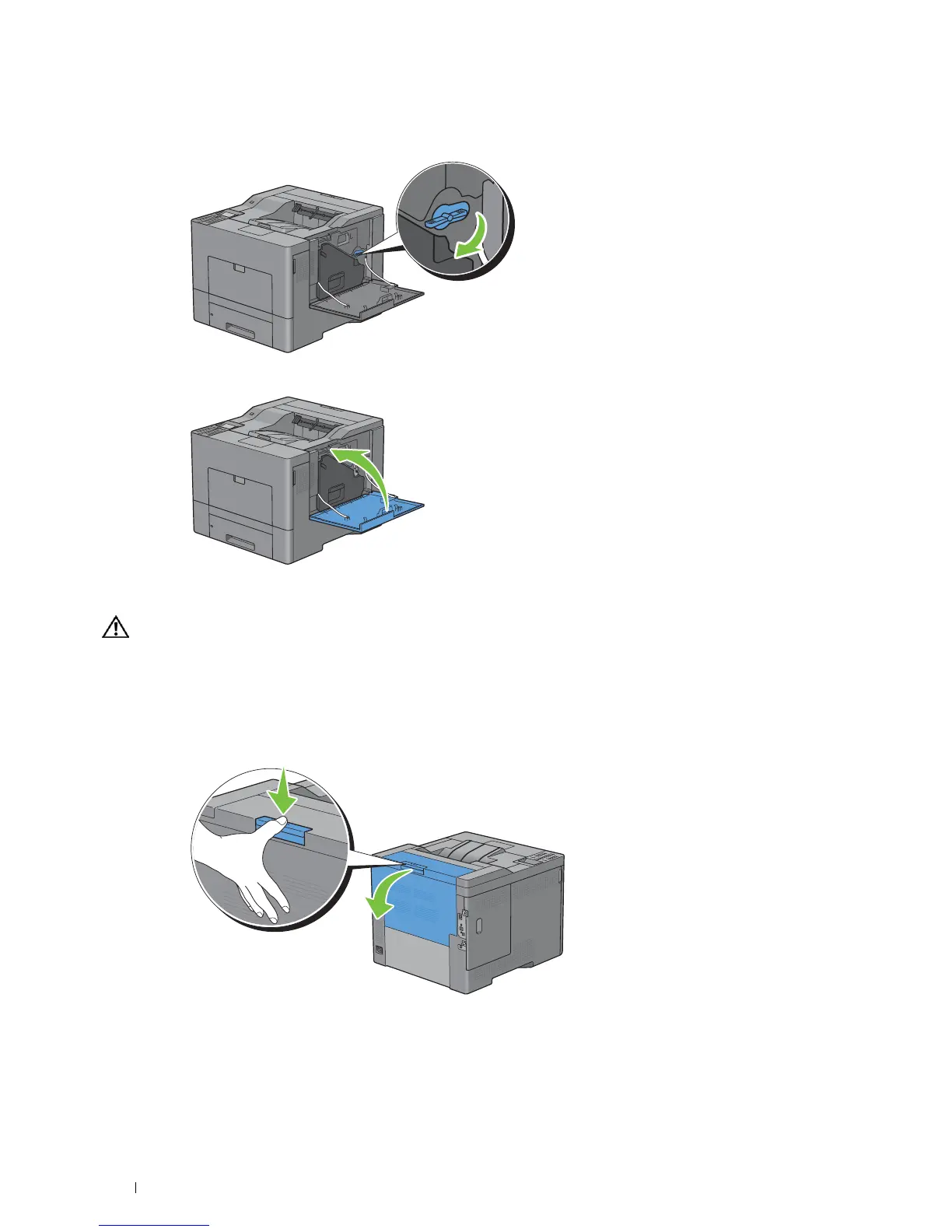
Turn the waste toner box lock lever 90-degrees clockwise to lock the waste toner box.
14
Close the right side cover.
Replacing the Fusing Unit
WARNING: Before performing any of the following procedures, read and follow the safety instructions in the
Product
Information Guide
.
Removing the Fusing Unit
1
Turn off the printer and wait for 30 minutes.
2
Push down the latch to open the rear cover.



 To Next Page
 Loading...









