Operating the Monitor │ 33
5 Use the Power button to turn the monitor On and Off.
6
/
The blue LED indicates the monitor is On and fully functional.
Using the OSD Lock function
Button Description
+
OSD Lock, press 10 seconds to lock, repeat press 10 seconds to
unlock(when not in OSD menu)
+
Power Lock, press 10 seconds to lock, repeat press 10 seconds
to unlock(when not in OSD menu)
Using the On-Screen Display (OSD) Menu
Accessing the Menu System
NOTE: Any changes you make using the OSD menu are automatically saved if
you move to another OSD menu, exit the OSD menu, or wait for the OSD menu
to disappear.
Press the
button to open the OSD menu and display the main menu.
Icon
Menu and
Submenus
Description
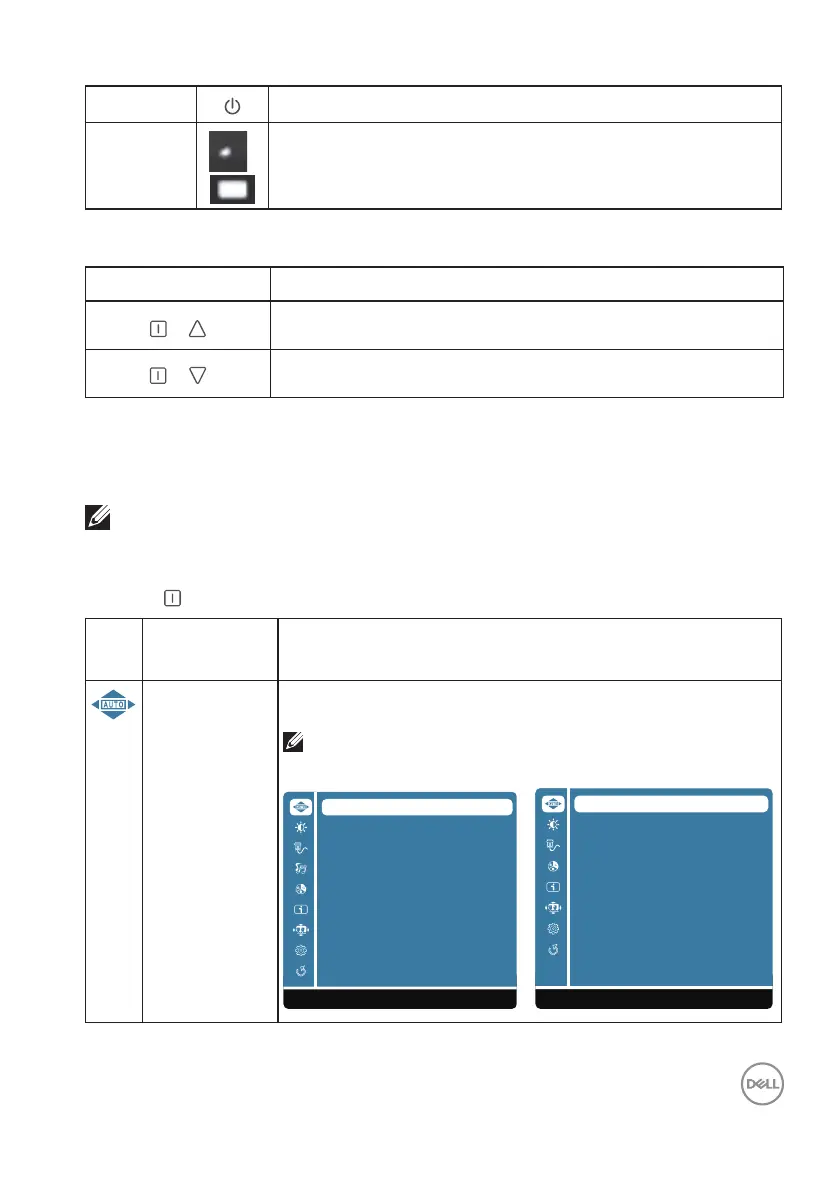
Auto Adjust
(D2421H/
D2721H)
Adjust the Horizontal Position, Vertical Position, Phase (Fine
Tune) and Clock (H. Size) of the screen.
NOTE: Only available for D-SUB input.
D2421H D2721H
Auto Adjust
Contrast/Brightness
Input Source
Audio Adjust
Color Adjust
Information
Manual Image Adjust
Setup Menu
Factory Reset
1:Exit Select:2
Auto Adjust
Contrast/Brightness
Input Source
Color Adjust
Information
Manual Image Adjust
Setup Menu
Factory Reset
1:Exit Select:2












 To Next Page