36 │ Operating the Monitor
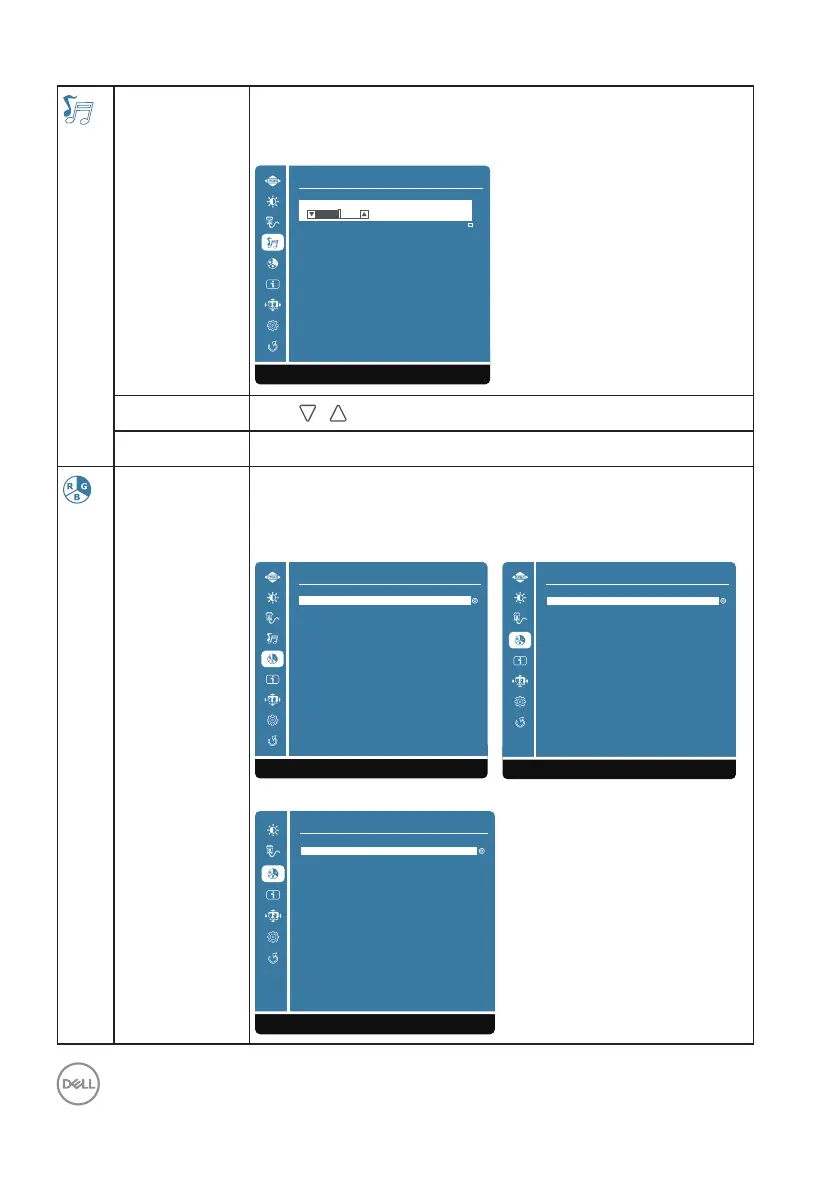
Audio Adjust
(only for
D2421H)
Use the Audio Settings menu to adjust the audio settings.
When input source is VGA, “Audio Adjust” option on “Main
Menu” can’t be selected.
Audio Adjust
1:Exit Select:2
Mute
50
Volume
Volume
Push
/ to adjust the earphone output scale.
Mute To set or reset the mute function.
Color Adjust When you select Color Adjust, you can choose Cool, Normal,
Warm, ComfortView, User Color and Color Vision Mode from
the list.
D2421H D2721H
Color Adjust
1:Exit
Warm
ComfortView
User Color
Color Vision Mode
Normal
Cool
Color Adjust
1:Exit
Warm
ComfortView
User Color
Color Vision Mode
Normal
Cool
D2421DS
Color Adjust
1:Exit
Warm
ComfortView
User Color
Color Vision Mode
Normal
Cool




 To Next Page