16 │ Setting up the monitor
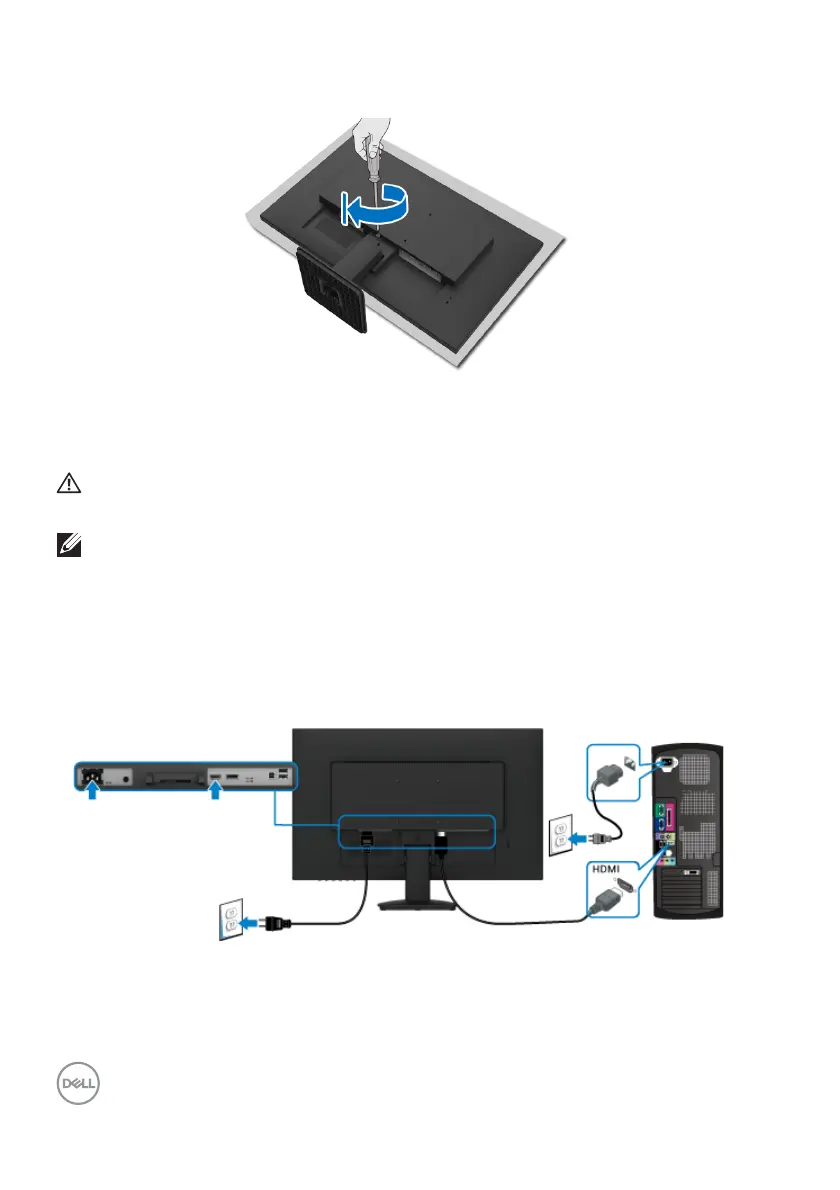
4. Tighten the screw on the monitor to ensure a secure attachment.
5. Place the monitor upright.
Connecting your monitor
WARNING: Before you begin any of the procedures in this section,
fol low the Safety instructions.
NOTE: Do not connect all
cables to the computer at the same time.
To connect your monitor to the
computer:
1. T
urn off your computer and disconnect the power cable.
2. Connec
t the HDMI or DisplayPort cable from your monitor to the computer.
Connecting the HDMI cable












 To Next Page