20 │ Operating the monitor
Operating the monitor
Using the front-panel controls
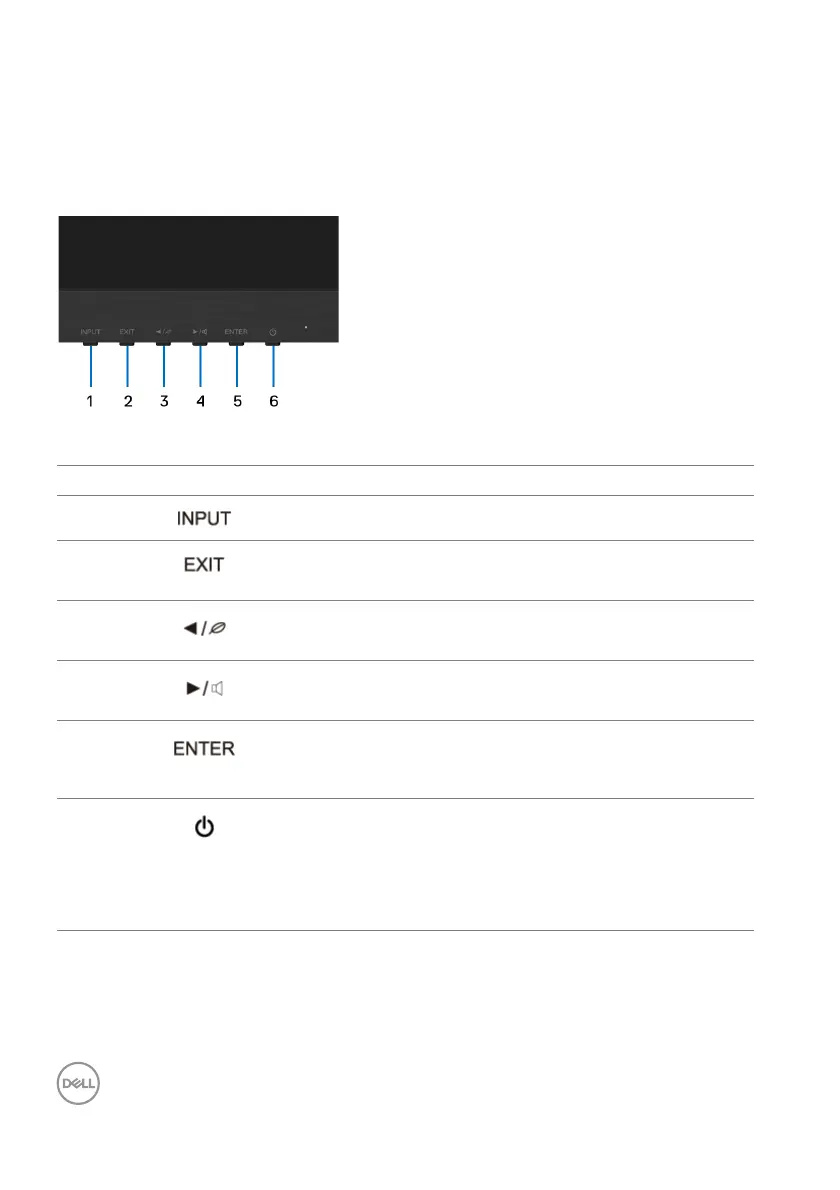
Use the control buttons on the front of the monitor to adjust settings.
The following table describes the front-panel buttons:
Front-panel button Description
1
Use the INPUT button to select a video signal.
2
• Exit from the OSD menu.
•Hotkey for i-S
tyle Color
3
• For Up/Left/Decrease adjustment.
•Hotkey for ECO Mode.
4
• For Down/Right/Increase adjustment.
•Hotkey for Vo
lume.
5
Use the ENTER button to launch the On-Screen
Display (OSD), enter sub menus, and select menu
items.
6
Power
(with power light
indicator)
Use the Po
wer button to turn the monitor on and
off.
The blue light indicates the monitor is on and fully
func
tional. An orange light indicates the power save
mode.












 To Next Page