74 Removing and Installing Parts
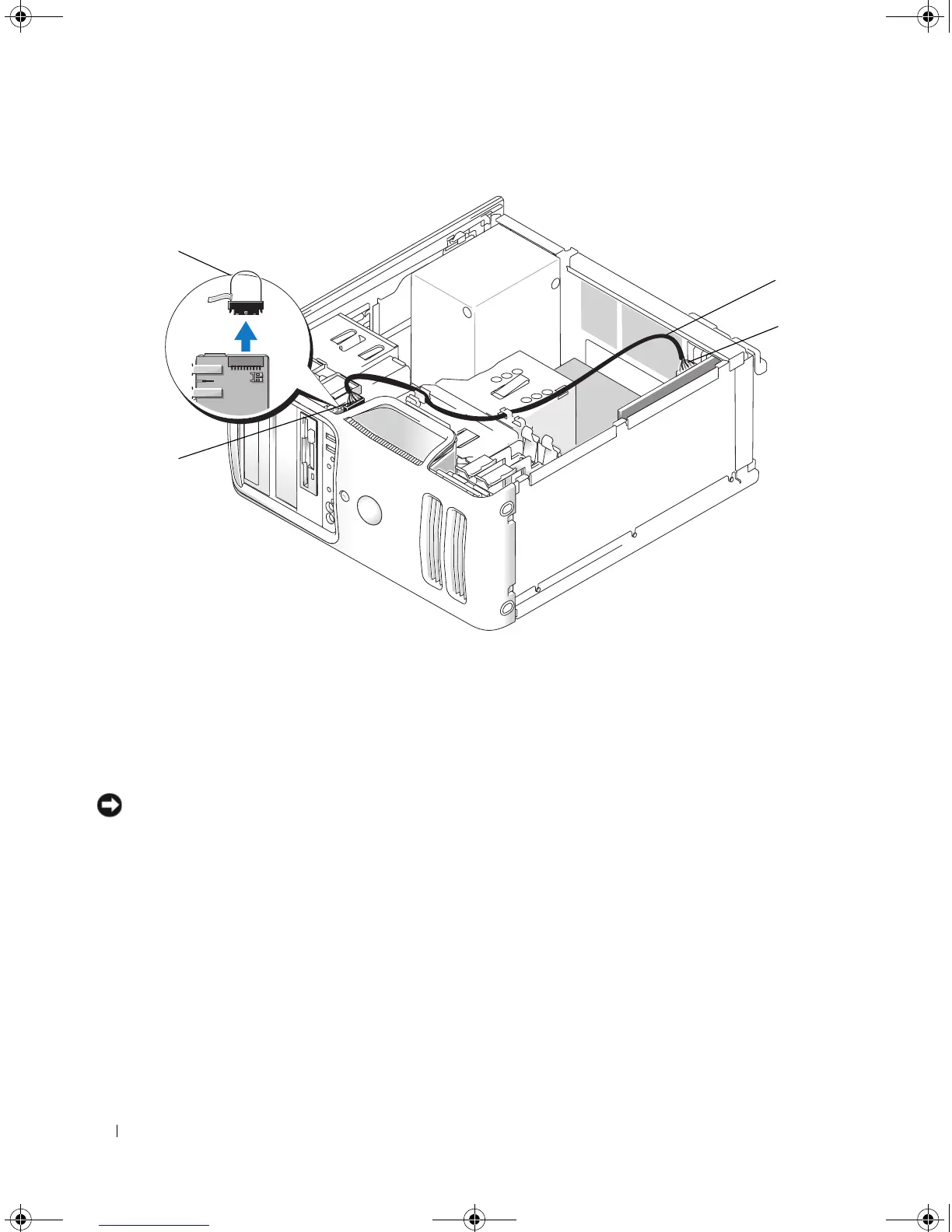
If you are installing a sound card, remove the jumper on the end of the front I/O panel. Then connect
one end of the cable to the sound card and the other end of the cable to the connection on the front
I/O panel from which you removed the jumper.
NOTICE: To connect a network cable, first plug the cable into the network device and then plug it into the
computer.
10
Replace the computer cover, reconnect the computer and devices to electrical outlets, and then turn
them on.
11
If you installed a sound card:
a
Enter system setup (see "System Setup" on page 111), go to
Onboard Devices
and select
Integrated
Audio
, and then change the setting to
Off
.
b
Connect external audio devices to the sound card’s connectors. Do not connect external audio
devices to the microphone, speaker/headphone, or line-in connectors on the back panel. See "Back
Panel Connectors" on page 14.
1 front I/O panel connector 2 jumper 3 sound card cable
4 sound card connector
2
1
3
4
book.book Page 74 Monday, July 23, 2007 3:47 PM














 To Next Page