18 Setting Up the Monitor
CAUTION: Do not use benzene, thinner, ammonia, abrasive cleaners, or
compressed air.
• Use a lightly-dampened, warm cloth to clean the monitor. Avoid using detergent
of any kind as some detergents leave a milky film on the monitor.
• If you notice white powder when you unpack your monitor, wipe it o with a soft
and clean cloth.
• Handle your monitor with care to avoid scratches and scu marks.
• To help maintain the best image quality on your monitor, use a dynamically
changing screen saver and turn o your monitor when not in use.
Setting Up the Monitor
Attaching the Stand
NOTE: The stand is detached from monitor when it is shipped from the
factory.
NOTE: If you purchased a dierent stand for your monitor, see the
documentation for that stand for setup instructions.
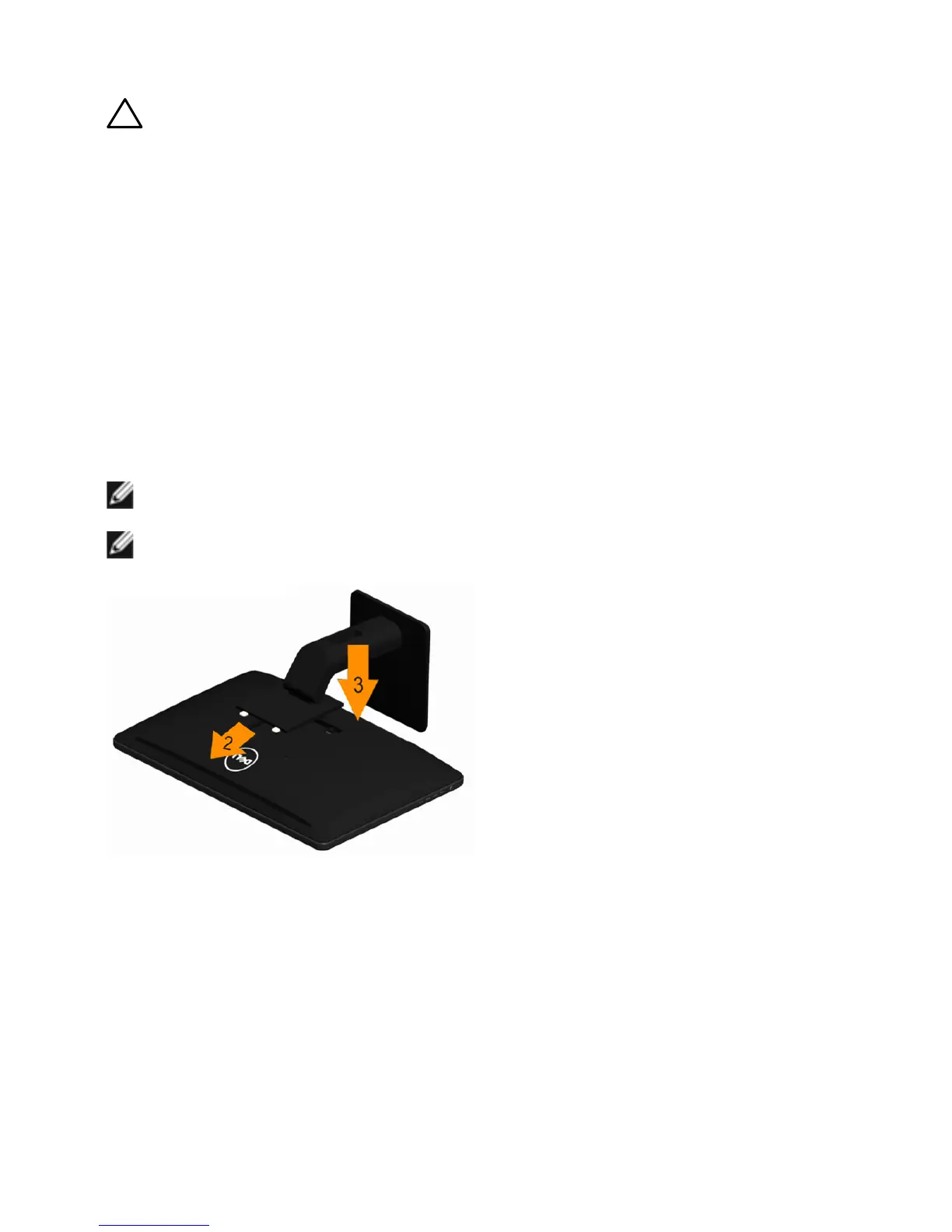
To attach the monitor stand:
1. Place the monitor on a flat surface.
2. Insert the two tabs on the upper part of the stand to the groove in the back
of the monitor.
3. Press-down on the stand till it snaps into its place.



 To Next Page