8 About Your Monitor
1
2
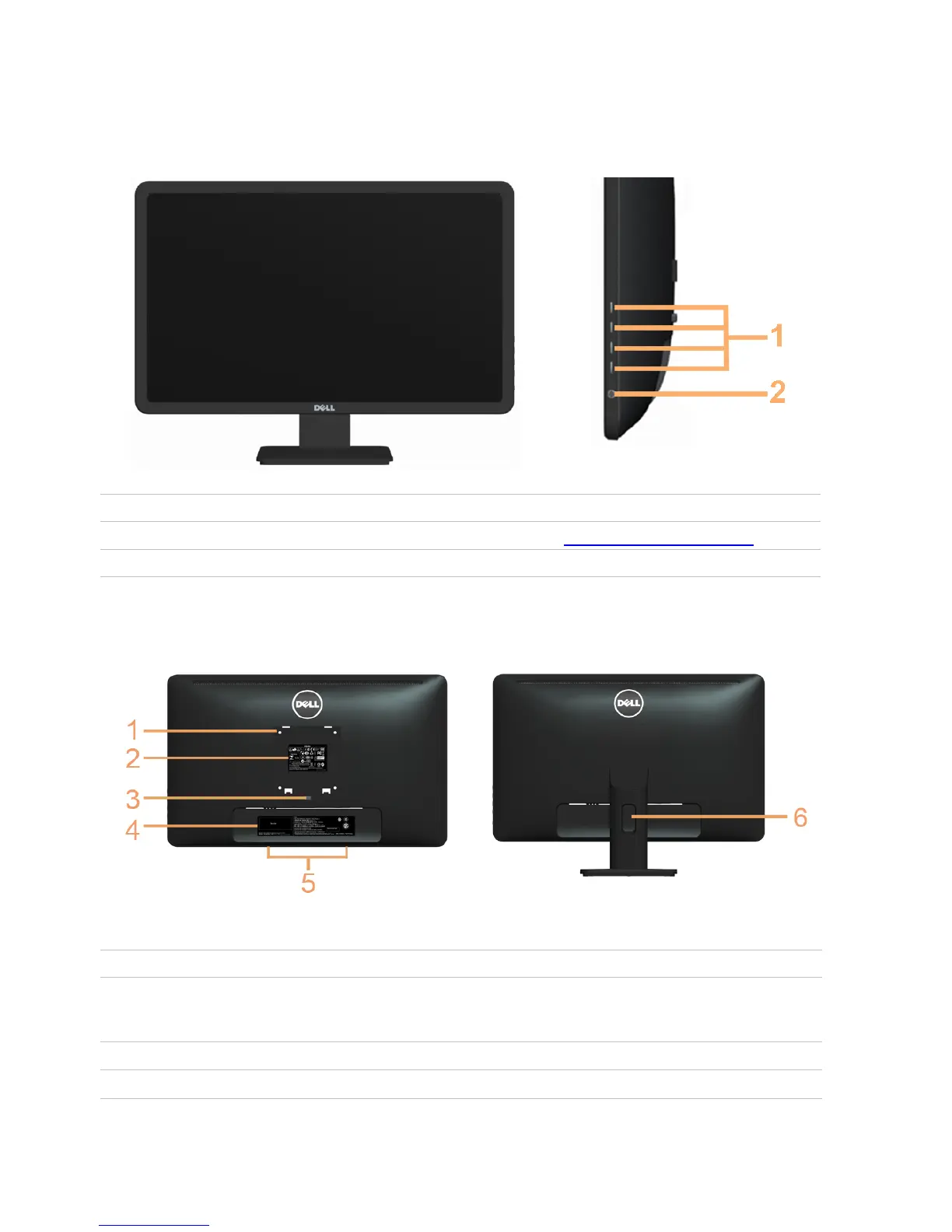
Parts and Controls
Front View ew Side-panel controls
Label Description
Function buttons (For more information, see Operating the Monitor)
Power On/O button (with indicator light)
Back View
Label Description Use
100 mm x 100 mm Wall mount monitor using
1 VESA mounting holes 100 mm x 100 mm VESA-compatible
(under VESA cover) wall-mount kit.
Regulatory label Lists the regulatory approvals.
Stand release button Releases the stand from the monitor.
2
3



 To Next Page