4
5
1
2
3
Barcode serial Refer to this label if you need to
number label contact Dell for technical support.
Dell soundbar Attaches the Dell Soundbar (optional).
mounting slots
6
Cable management
slot
Organize cables by placing them through the slot.
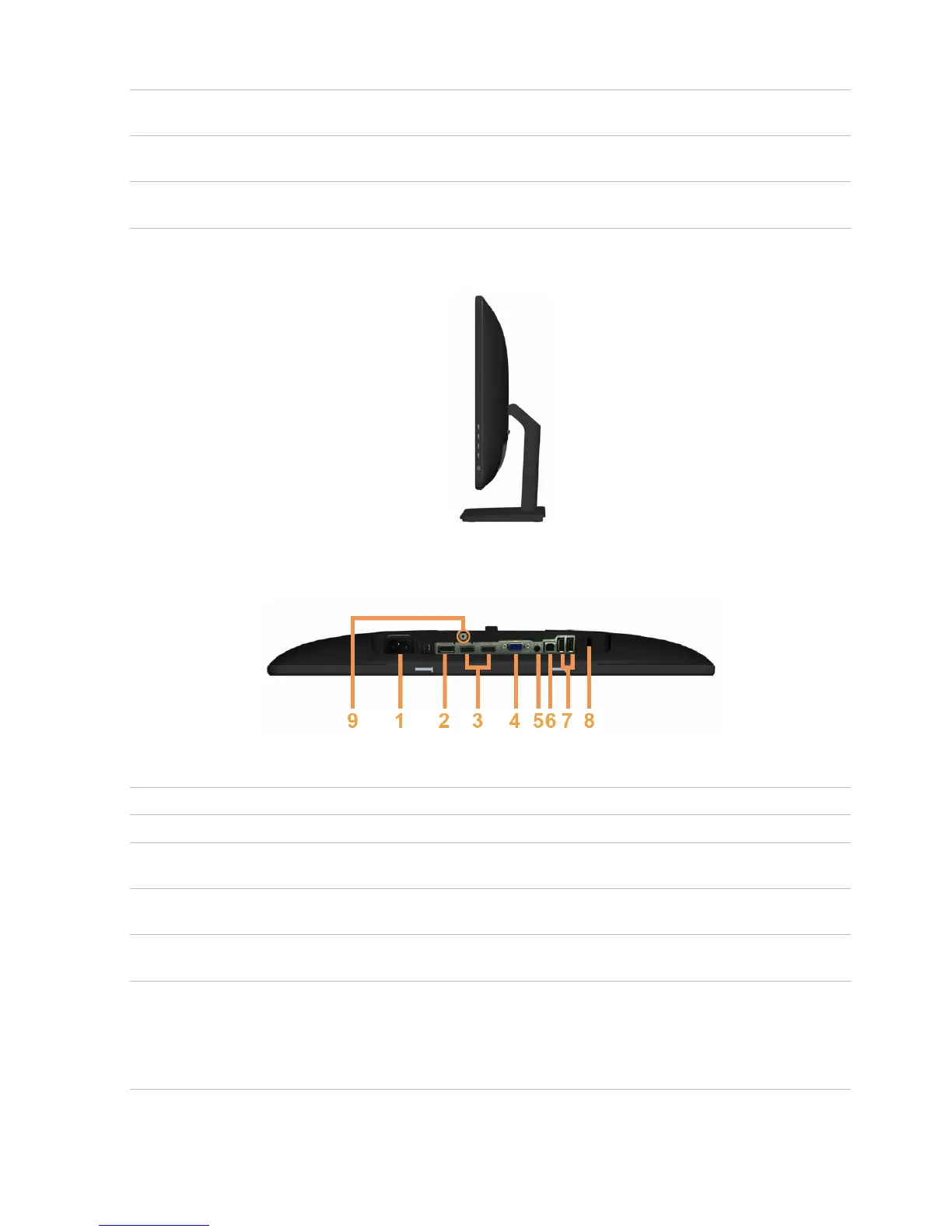
Side View
Bottom View
Bottom view
Label Description Use
AC power cord port Connect the power cable.
Connect a DisplayPort cable from your computer to
DisplayPort port
the monitor.
Connect your computer with HDMI cable or
HDMI (MHL) port
portable device with MHL cable (optional).
To connect your computer to the monitor using a
VGA port
VGA cable (optional).
Connect speakers to playback audio coming
through HDMI or DisplayPort audio channels.
Audio line-out port
Only supports 2-channel audio.
NOTE: The audio line-out port does not support
headphones.
About Your Monitor 9
4
5



 To Next Page