38 Troubleshooting
Built-in Diagnostics
Your monitor has a built-in diagnostic tool that helps you determine if the problems
with your monitor, or with your computer and video card.
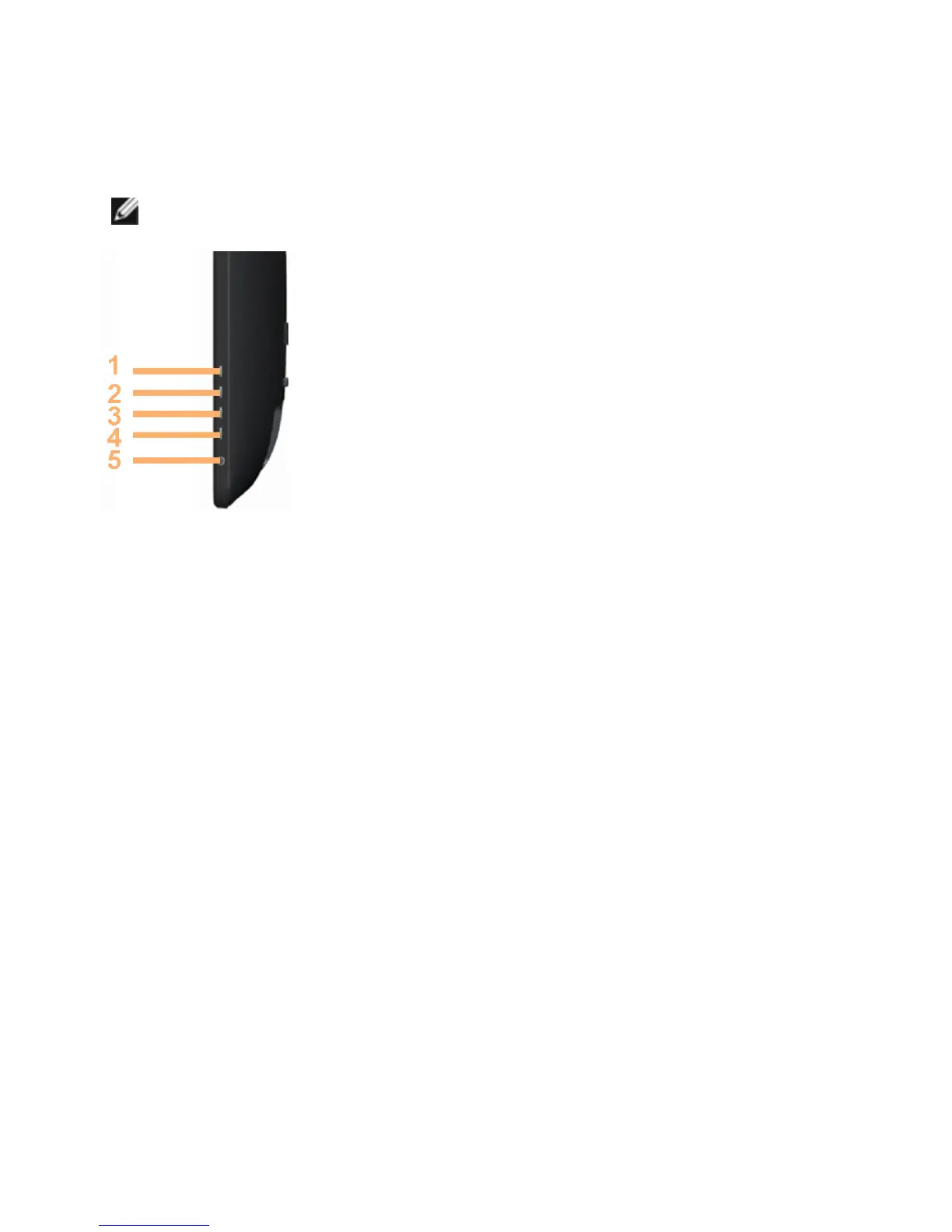
NOTE: You can run the built-in diagnostics only when no display cables are
connected and the monitor is in self-test mode.
To run the built-in diagnostics:
1. Make sure that the screen is clean
2. Unplug the video cable(s) from the computer or monitor.
The monitor enters the self-test mode.
3. Press and hold button 1 and Button 4 simultaneously for 2 seconds.
A gray screen appears.
4. Carefully inspect the screen for abnormalities.
5. Press button 4 again. The color of the screen changes to red.
6. Inspect the display for any abnormalities.
7. Repeat step 5 and step 6 to inspect the display in green, blue, black, white,
and text screens.
The test is complete when the text-screen appears. To exit, press button 4 again.
If you do not see any screen abnormalities while running the built-in diagnostic,
the monitor is functioning properly. Check the computer and video card for
problems.



 To Next Page