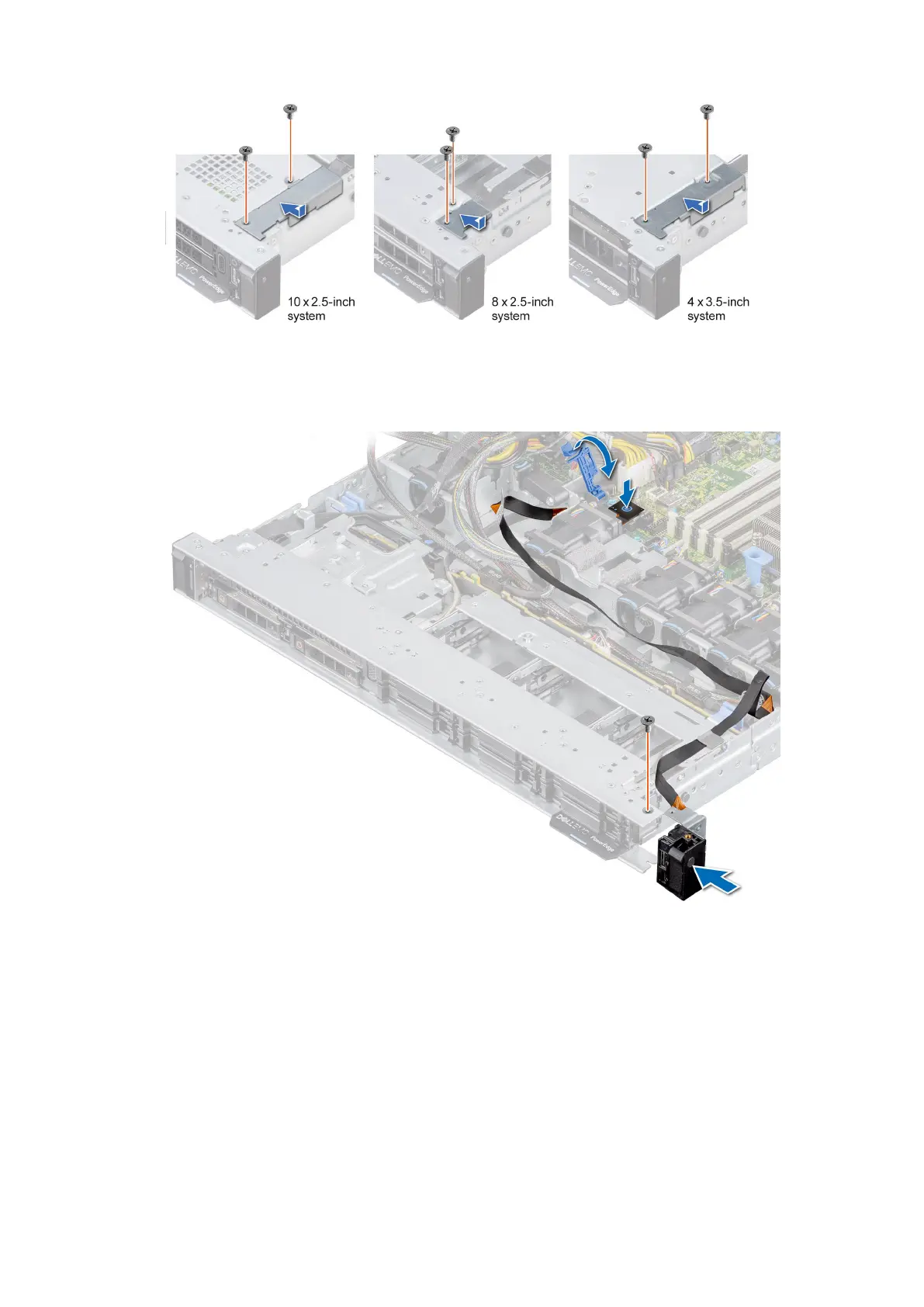
Figure 103. Installing the cable cover
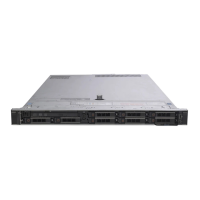
5. Connect the control panel cable to the system board and secure it using cable latch.
6. Install the cable cover and secure it in place with screws, using a Phillips #1 screwdriver.
Figure 104. Installing the right control panel
Next steps
1. Replace the air shroud.
2. Install the backplane cover
3. Close and secure the cable guiding latch.
4. Follow the procedure listed in the After working inside your system.
102
Installing and removing system components



 To Next Page