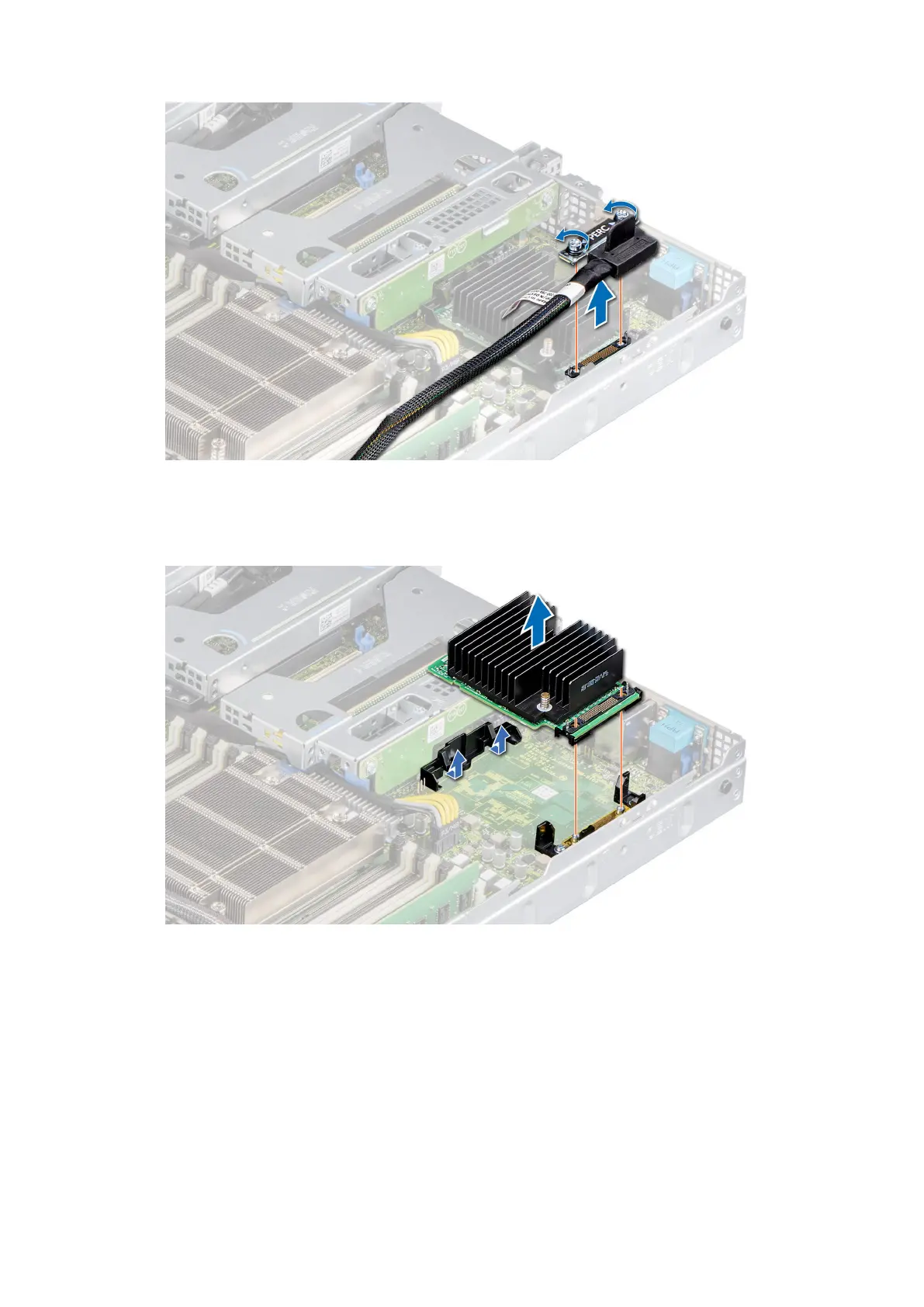
Figure 78. Removing the mini PERC card cable
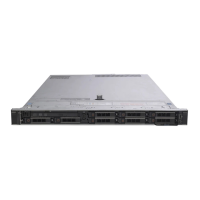
3. Slide out the mini PERC card to disengage from the card holder on the system board.
4. Lift the mini PERC card out of the system.
Figure 79. Removing the mini PERC card
Next steps
Replace the mini PERC card.
Installing the mini PERC card
Prerequisites
1. Follow the safety guidelines listed in the Safety instructions.
2. Follow the procedure listed in Before working inside your system.
80
Installing and removing system components










 To Next Page