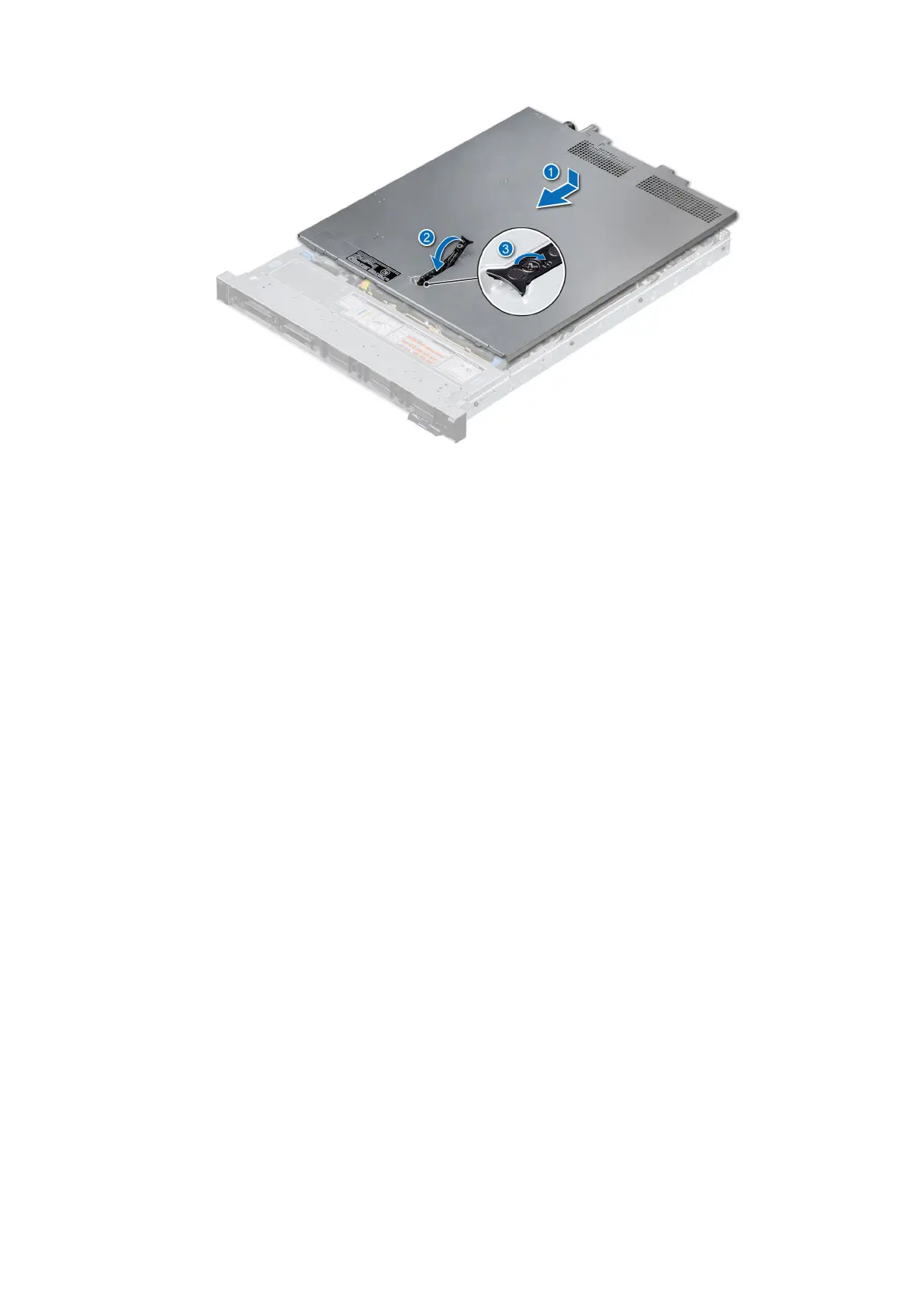
Figure 18. Installing the system cover
Next steps
Follow the procedure listed in After working inside your system.
Drive backplane cover
Removing the drive backplane cover
Prerequisites
1. Follow the safety guidelines listed in the Safety instructions.
2. Follow the procedure listed in the Before working inside your system.
Steps
1. Slide the backplane cover in the direction of the arrows marked on the backplane cover.
2. Lift the backplane cover from the system.
Installing and removing system components
29










 To Next Page