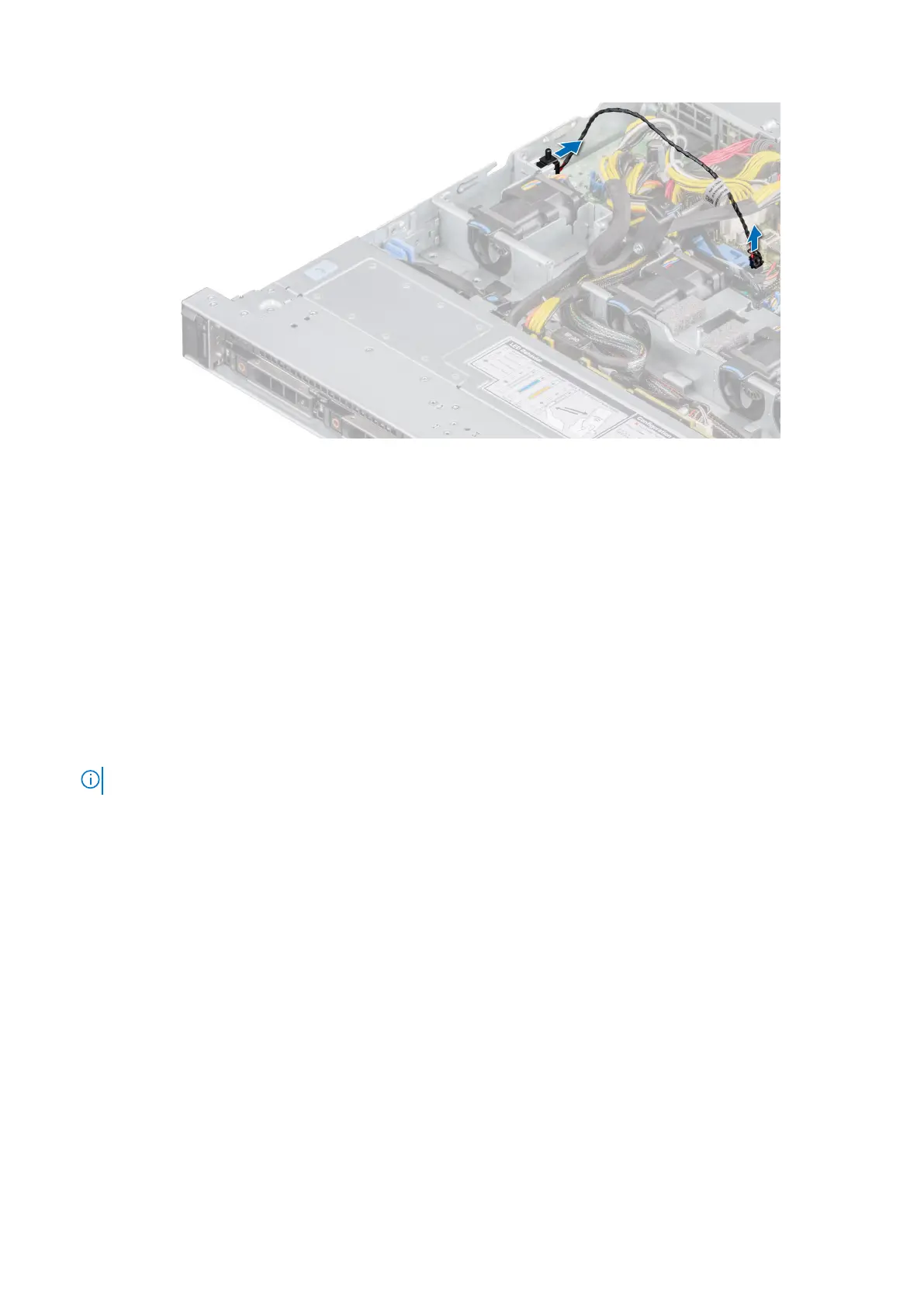
Figure 25. Removing the intrusion switch
Next steps
Replace the intrusion switch.
Installing the intrusion switch
Prerequisites
1. Follow the safety guidelines listed in the Safety instructions.
2. Follow the procedure listed in the Before working inside your system.
Steps
1. Align and slide the intrusion switch in the slot until it is firmly seated in the slot on the system.
NOTE: Route the cable properly when you replace it to prevent the cable from being pinched or crimped.
2. Connect the intrusion switch cable to the connector on the system board.
36
Installing and removing system components










 To Next Page