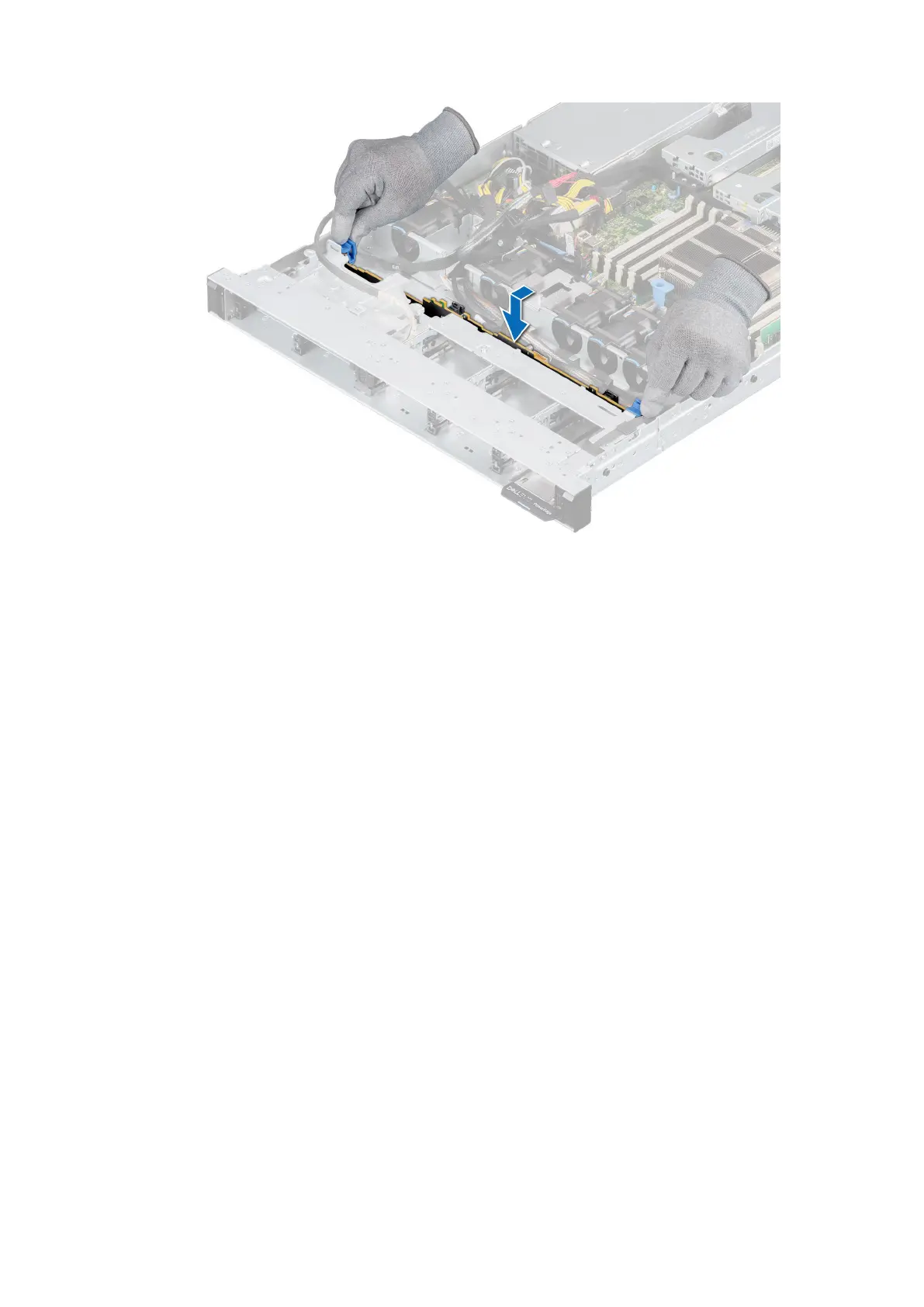
Figure 37. Installing the drive backplane
Next steps
1. Reconnect the VGA cable to the system board.
2. If disconnected, reconnect the optical drive power and signal cables to the drive.
3. Reconnect all the disconnected cables to the backplane.
4. Install all the drives.
5. Install the backplane cover.
6. Install the air shroud.
7. Follow the procedure listed in After working inside your system.
Installing and removing system components
45










 To Next Page