PS6010 Hardware Maintenance Maintaining Disks
2–2
Interpreting Disk Drive LEDs
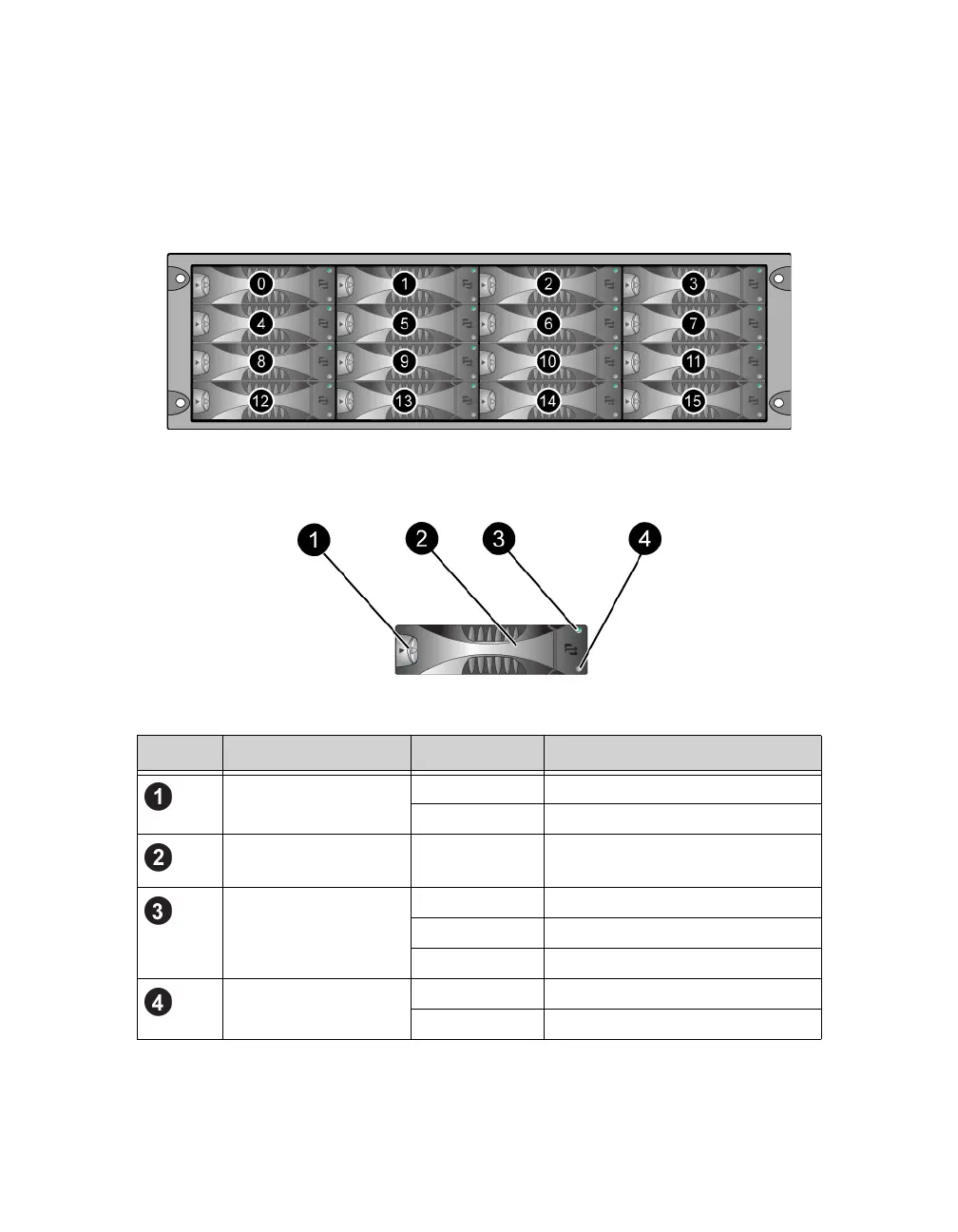
Figure 2-1 shows how disk drives are oriented and numbered in the array.
Figure 2-1: Disk Drive Numbering
The parts of a disk drive are shown in Figure 2-2 and described in Table 2-1.
Figure 2-2: Disk Drive Detail
Table 2-1: Disk Drive Detail Descriptions
Callout Item Color Description
Disk drive handle
release button
Black SAS disk drive.
Gray SATA disk drive.
Handle Gray Same for SAS and SATA disk
drives.
Power and disk drive
activity LED
Off No power or an error condition.
Green Power.
Flashing green Disk drive activity.
Error LED Off No power or normal condition.
Red Error condition.


 To Next Page