PS6010 Hardware Maintenance Maintaining Disks
2–6
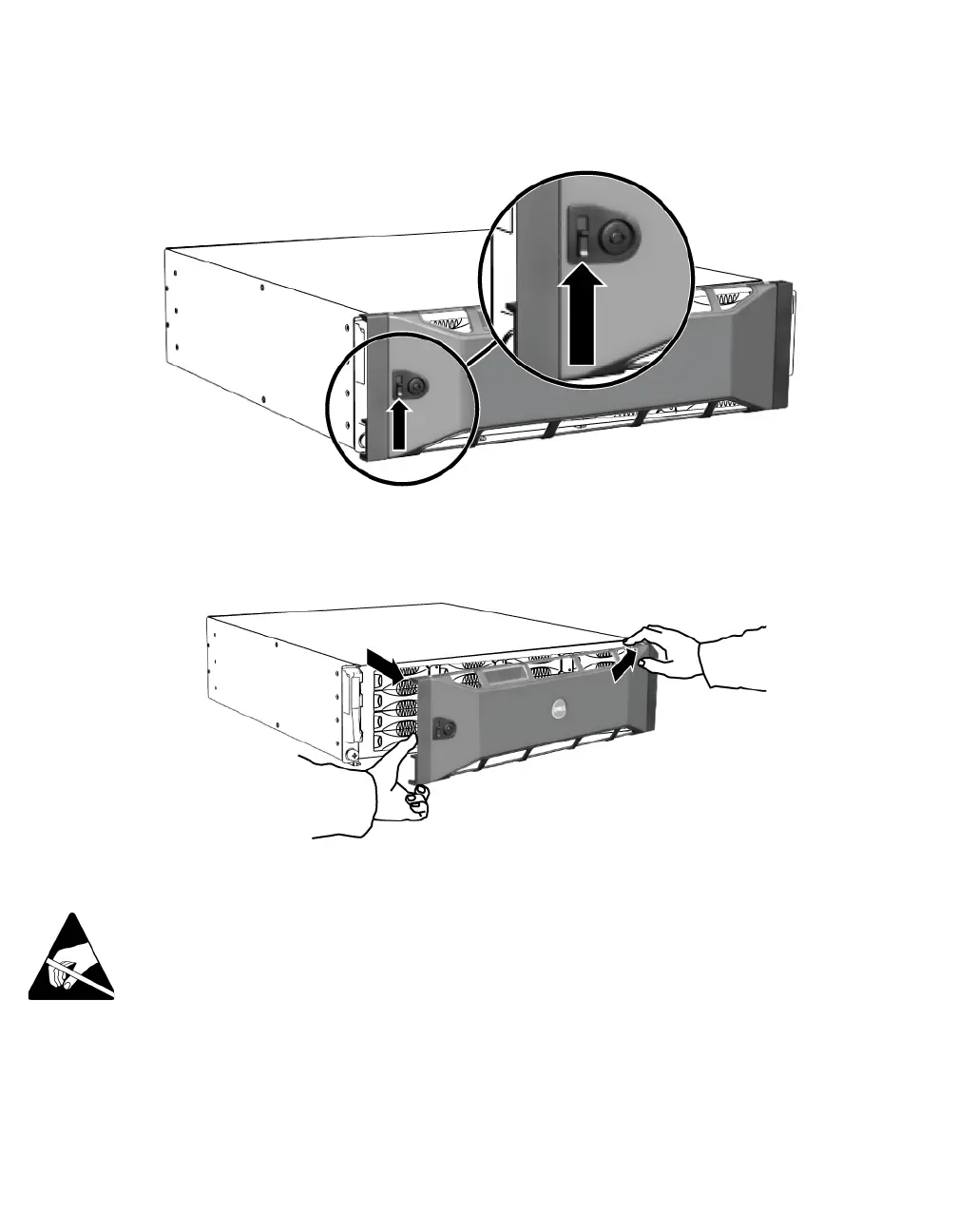
Figure 2-4: Pushing Up the Bezel Release Latch
3. Hold the bezel and pull it away from the chassis. See Figure 2-5.
Figure 2-5: Detaching the Bezel from the Chassis
Removing a Disk Drive
1. Wear electrostatic protection when handling a disk drive. See Using an
Electrostatic Wrist Strap on page 1-5.
2. Press the handle release button to the left, in the direction of the arrow, to
disangage the handle.


 To Next Page