PS6010 Hardware Maintenance Maintaining Disks
2–5
Removing the Bezel
The bezel comes with a lock, which helps protect the disk drives from being
tampered with or accidentally removed.
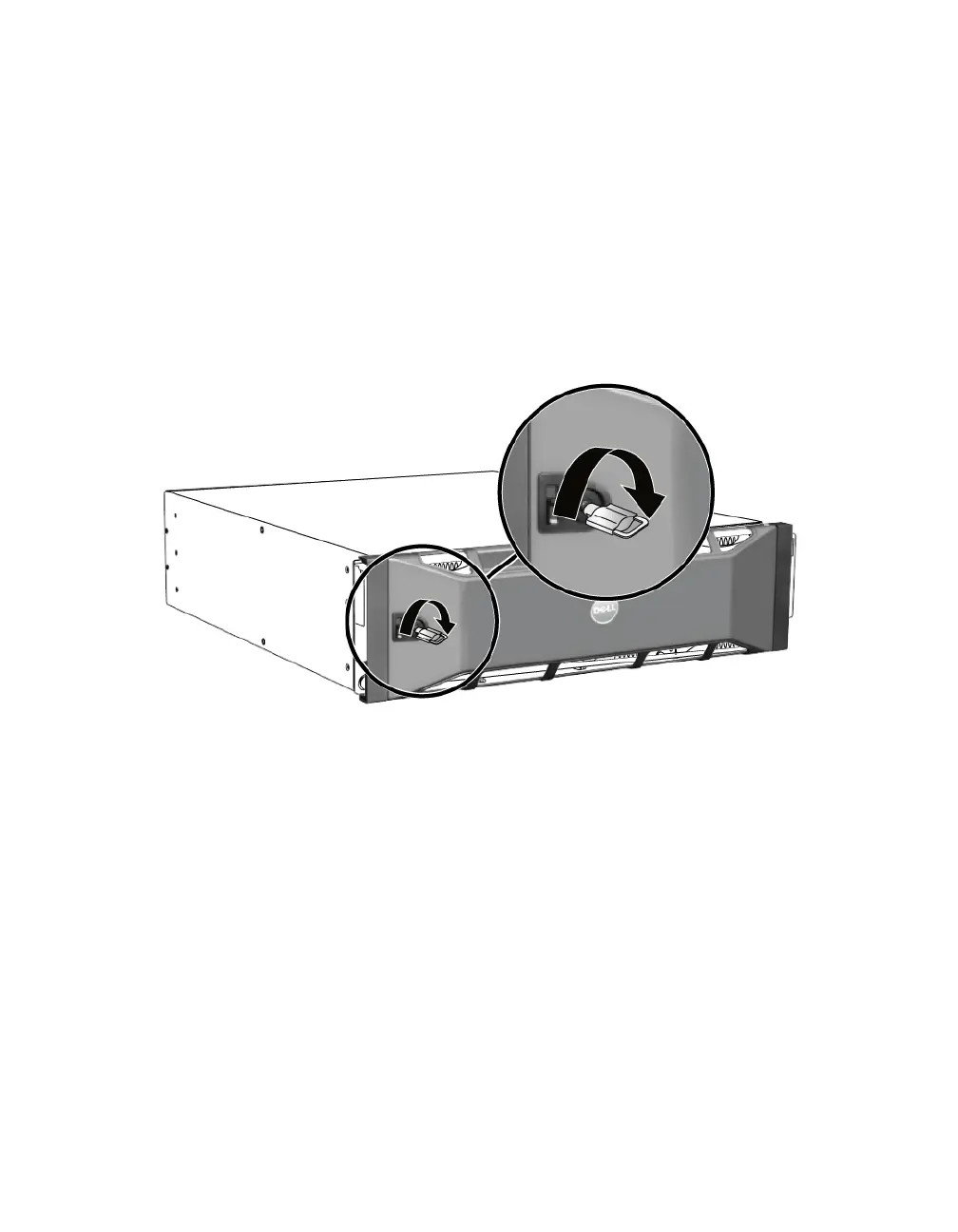
To unlock and remove the bezel:
1. Insert the bezel key and turn it clockwise to unlock the bezel. See Figure 2-3.
Figure 2-3: Unlocking the Bezel
2. Push the bezel release latch up to disengage the bezel from the chassis. See
Figure 2-4.


 To Next Page